← Back to all articles
SafeGuest Partners with Uplisting to bring Free Guest Verification and Protection to Hosts
20 July 2026
Uplisting and SafeGuest have partnered to help vacation rental hosts simplify guest verification, assess reservation risk, automate deposit collection, and protect every booking, all from within the Uplisting platform.
Uplisting and SafeGuest have partnered to give vacation rental hosts a smarter way to prevent costly guest issues before check-in. By combining Uplisting's intuitive property management platform with SafeGuest's AI-powered guest verification, risk assessment, automated deposits, and damage protection, hosts can book with greater confidence while maintaining a seamless guest experience.
Smarter Vacation Rental Protection with Uplisting and SafeGuest
Uplisting has built a reputation for making short-term rental management simpler, giving hosts and property managers the tools they need to automate operations, manage reservations, and deliver exceptional guest experiences. Through its partnership with SafeGuest, Uplisting users can now add intelligent guest verification, AI-powered reservation risk assessments, automated security deposits, and industry-leading damage protection directly into their existing workflow.
Together, Uplisting and SafeGuest help hosts reduce risk before guests arrive, eliminate manual screening tasks, and create greater accountability throughout every reservation, all while managing everything from within the Uplisting platform.
About Uplisting
Uplisting was built with a simple mission: to help vacation rental operators spend less time managing day-to-day tasks and more time growing their business. By streamlining operations through intuitive automation and an easy-to-use property management platform, Uplisting gives hosts back control over their time while delivering a smoother experience for both operators and guests.
That same commitment to simplicity is what makes the partnership with SafeGuest a natural fit. Together, Uplisting and SafeGuest help hosts automate guest verification, leverage AI-powered reservation risk insights, collect security deposits or damage waivers, and access industry-leading damage protection—all within their existing workflow. The result is a more efficient operation, stronger protection, and greater confidence with every booking.
Connect Your Uplisting Account to SafeGuest
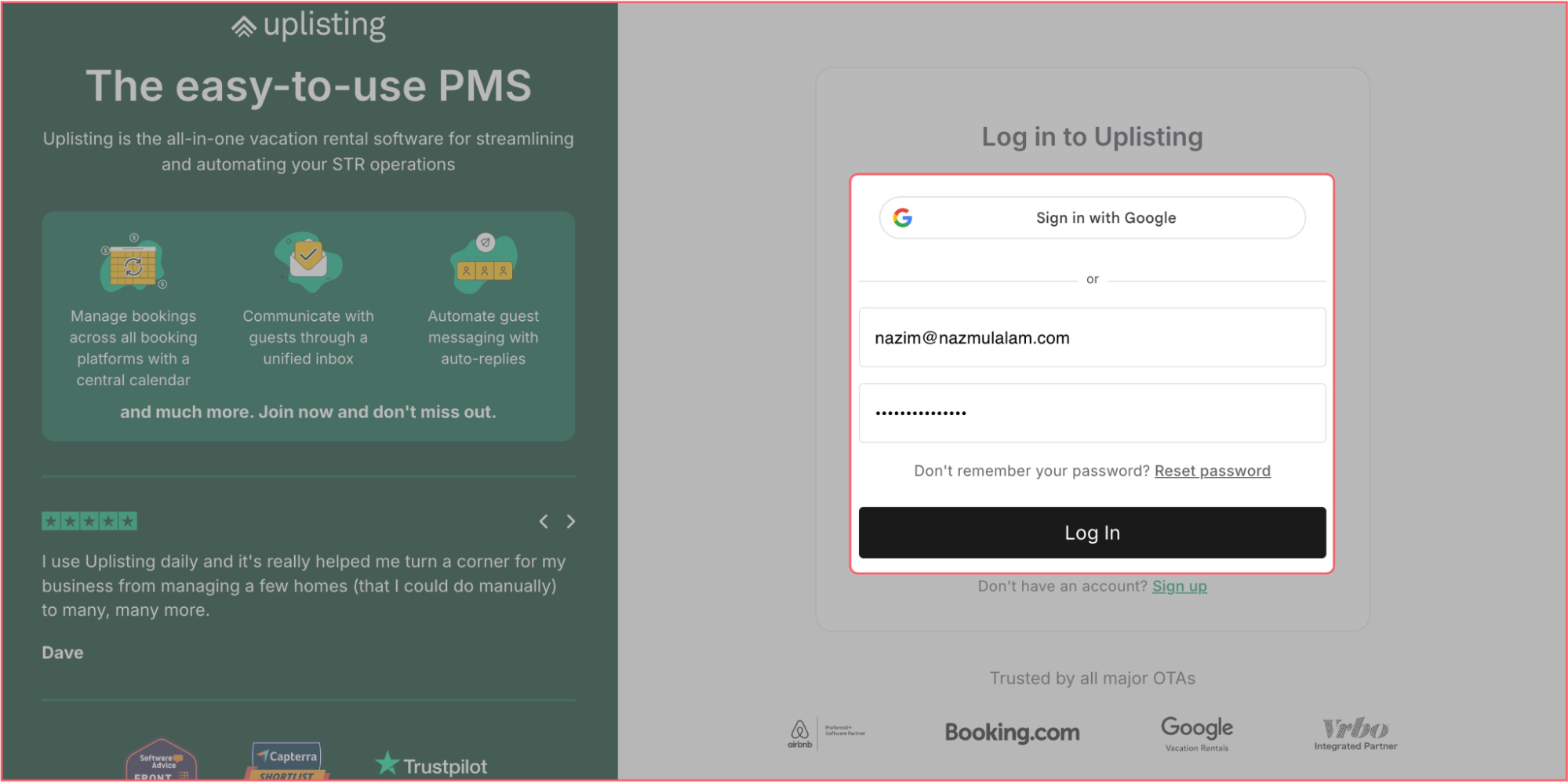
Step 1: Log into your Uplisting account
Step 2: Navigate to:
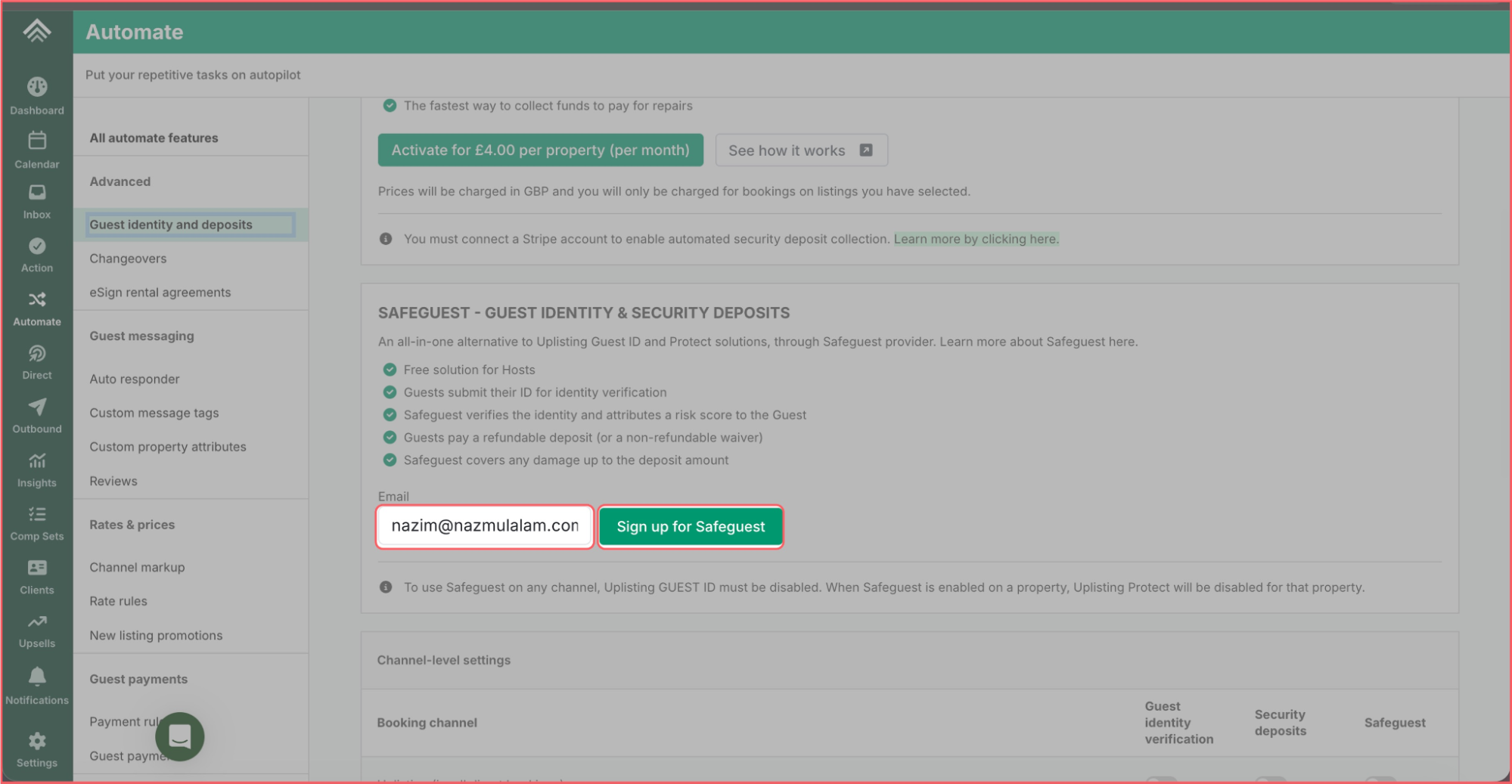
Left Sidebar → Automate → Guest identity and deposits → SAFEGUEST
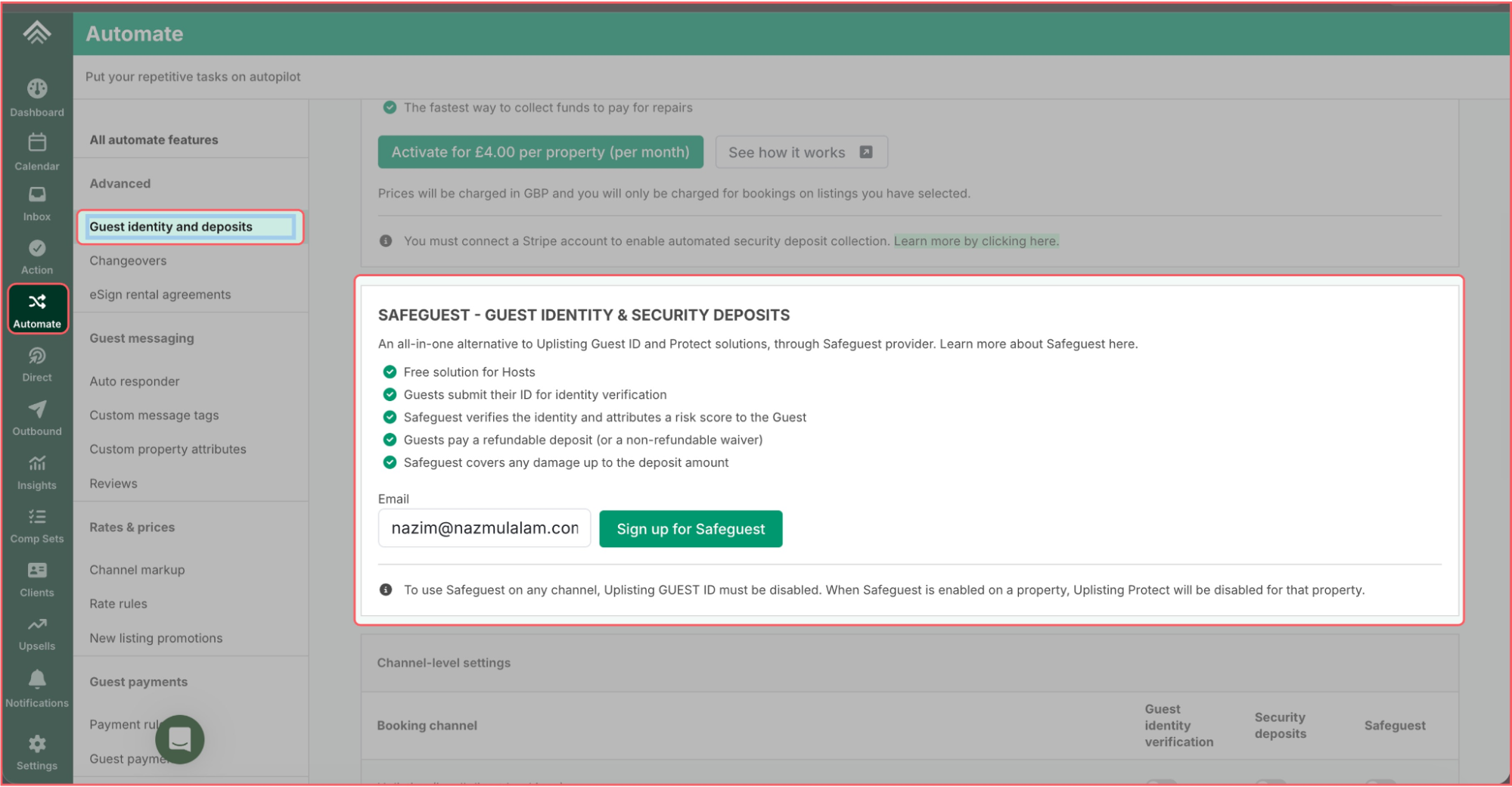
Step 3: Enter your email address and click “Sign up for Safeguest”
A confirmation email will be sent to the email address.
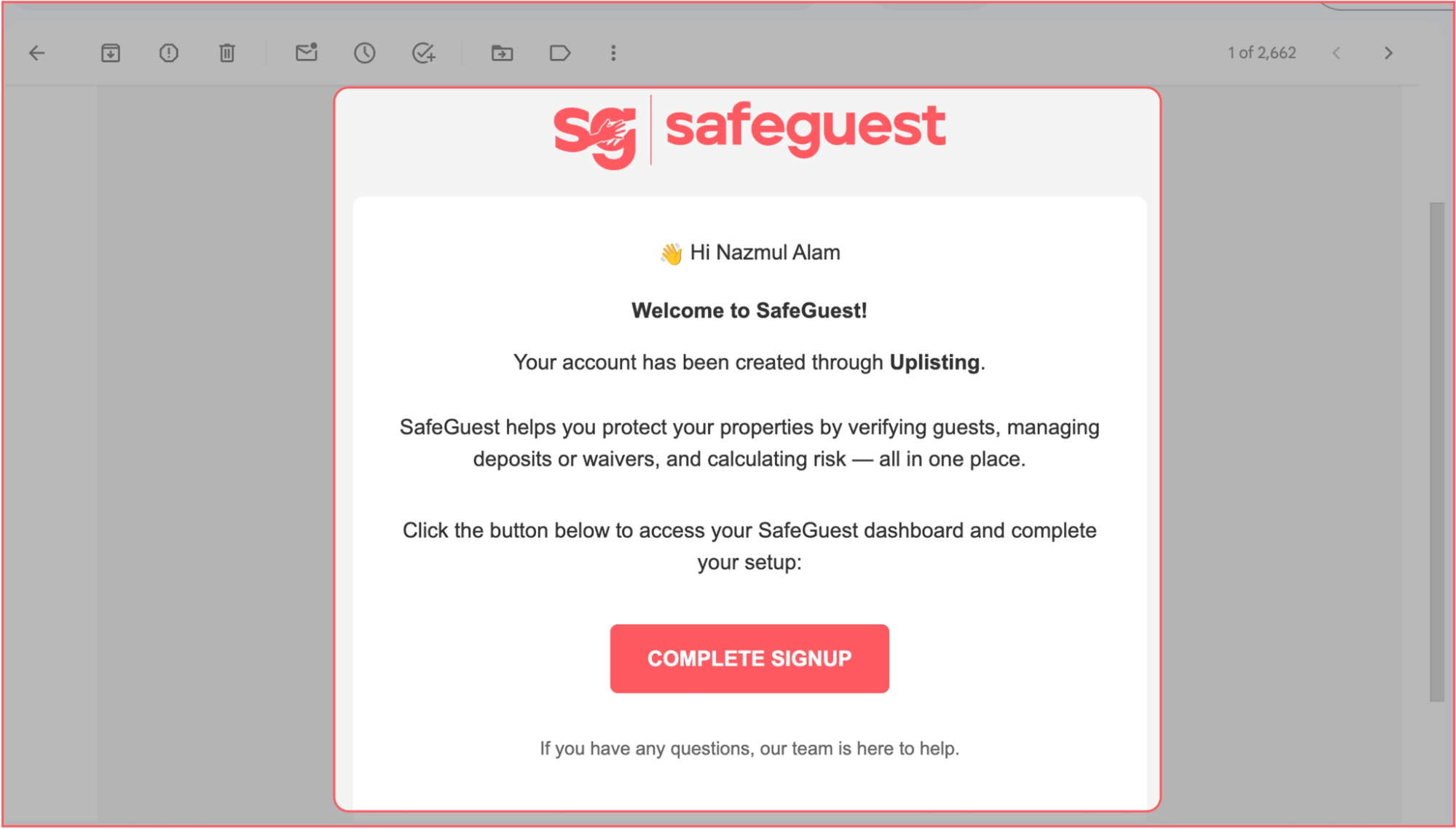
Step 4: Confirm you email address
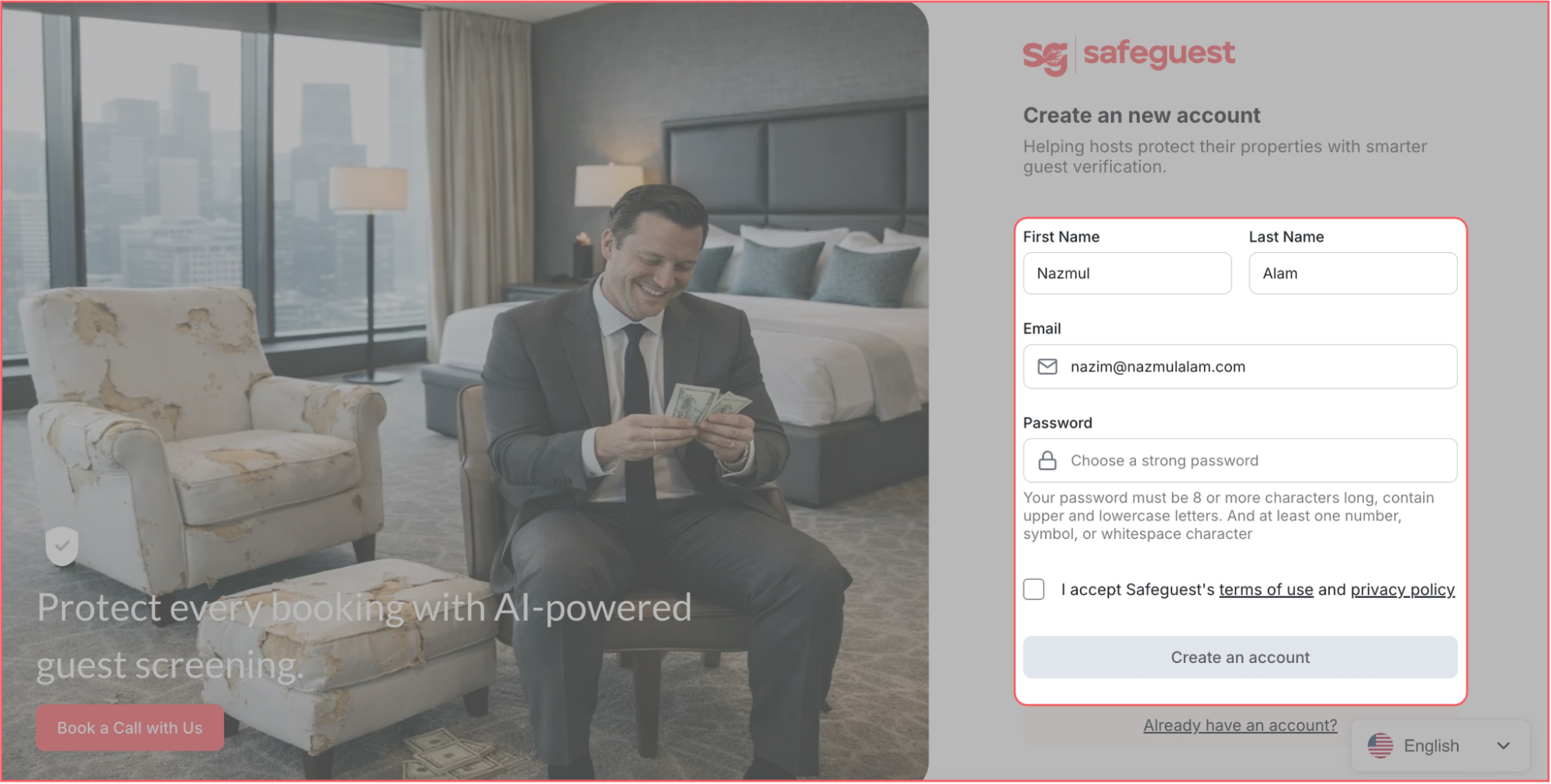
Step 5: Create a SafeGuest account
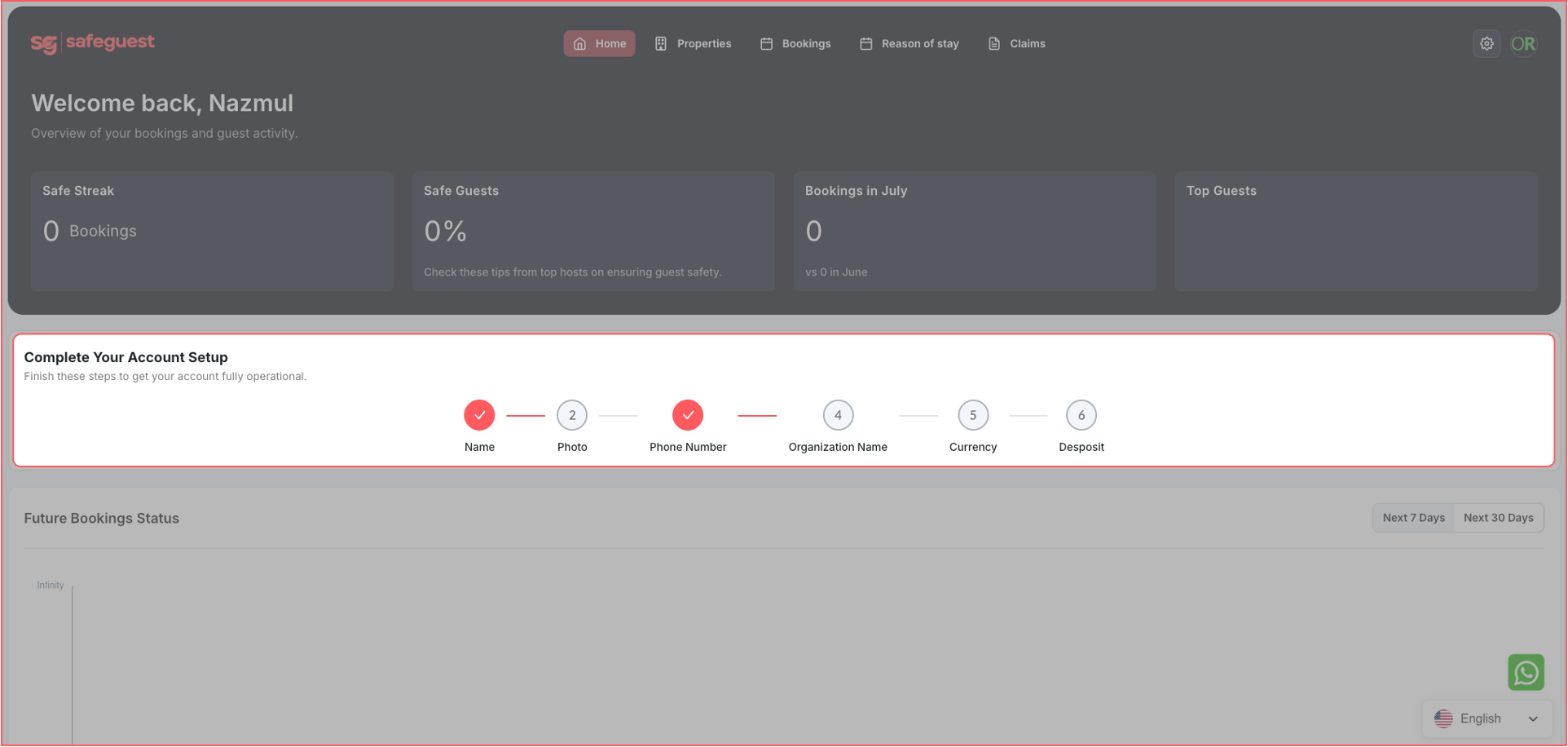
Step 6: Complete the Setup Banner Steps
Step 7: Go to your SafeGuest Settings Page
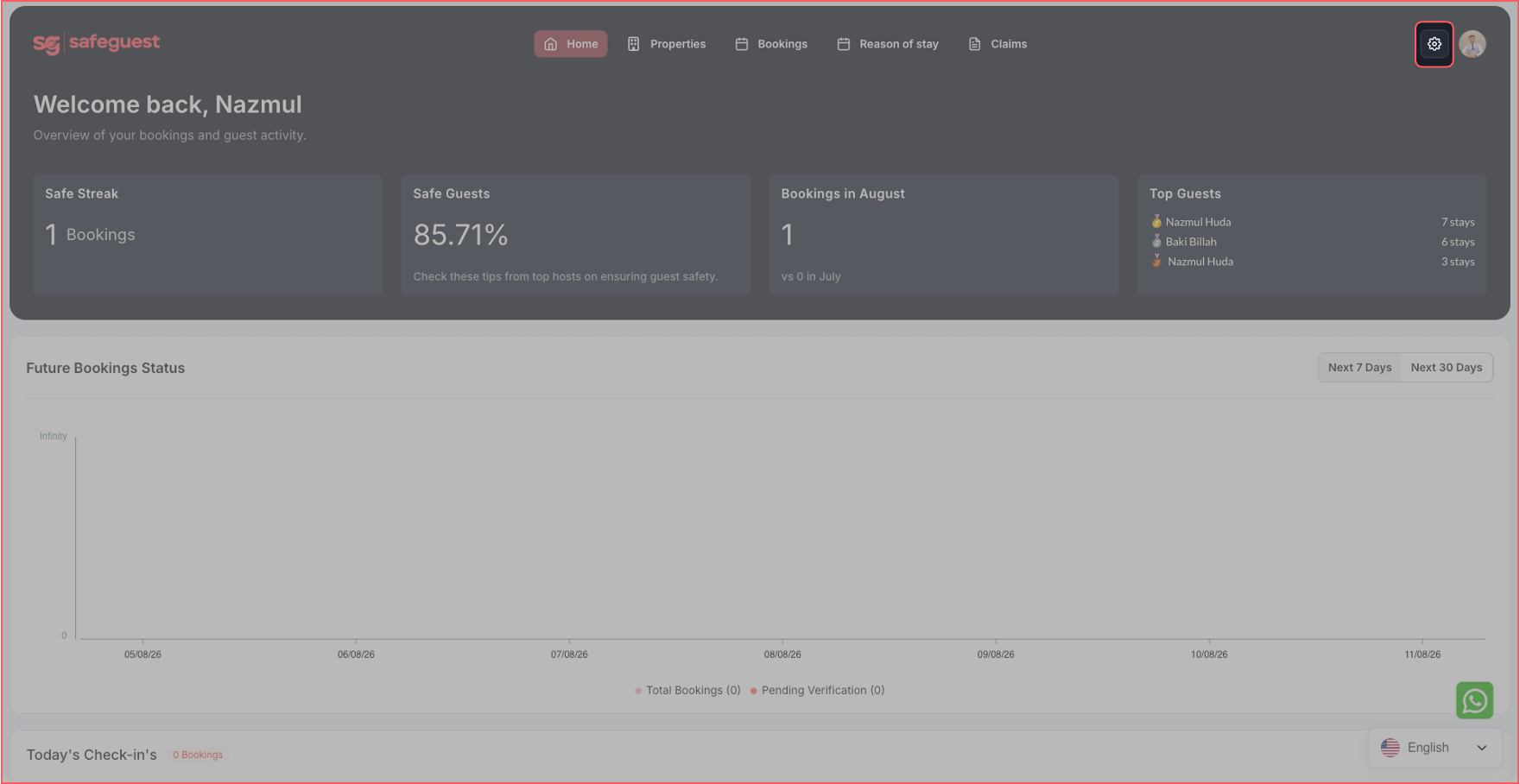
Step 8: Update Profile Details
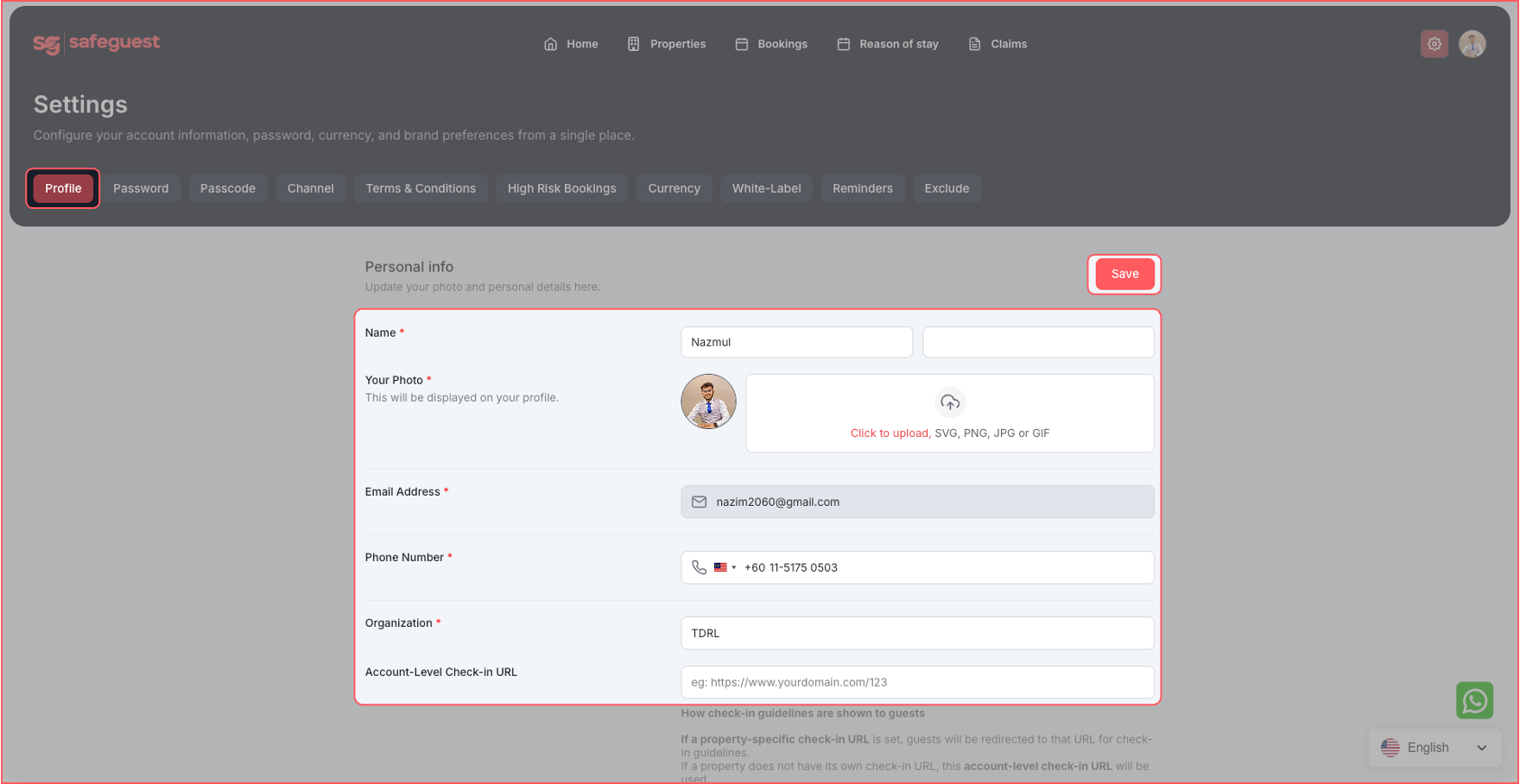
Step 9: Setup High Risk Bookings Details
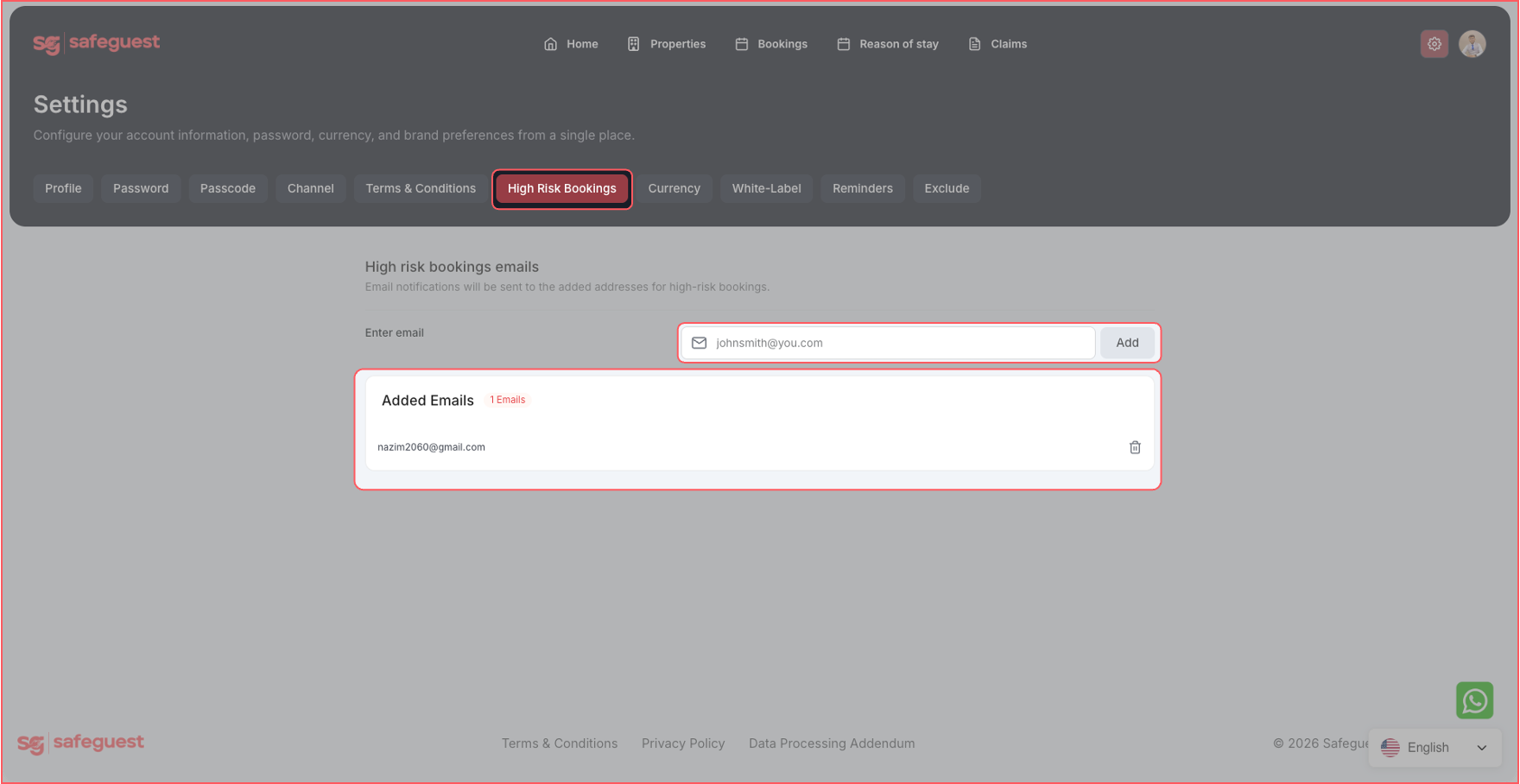
Step 10: Setup Currency and Security Deposit Details
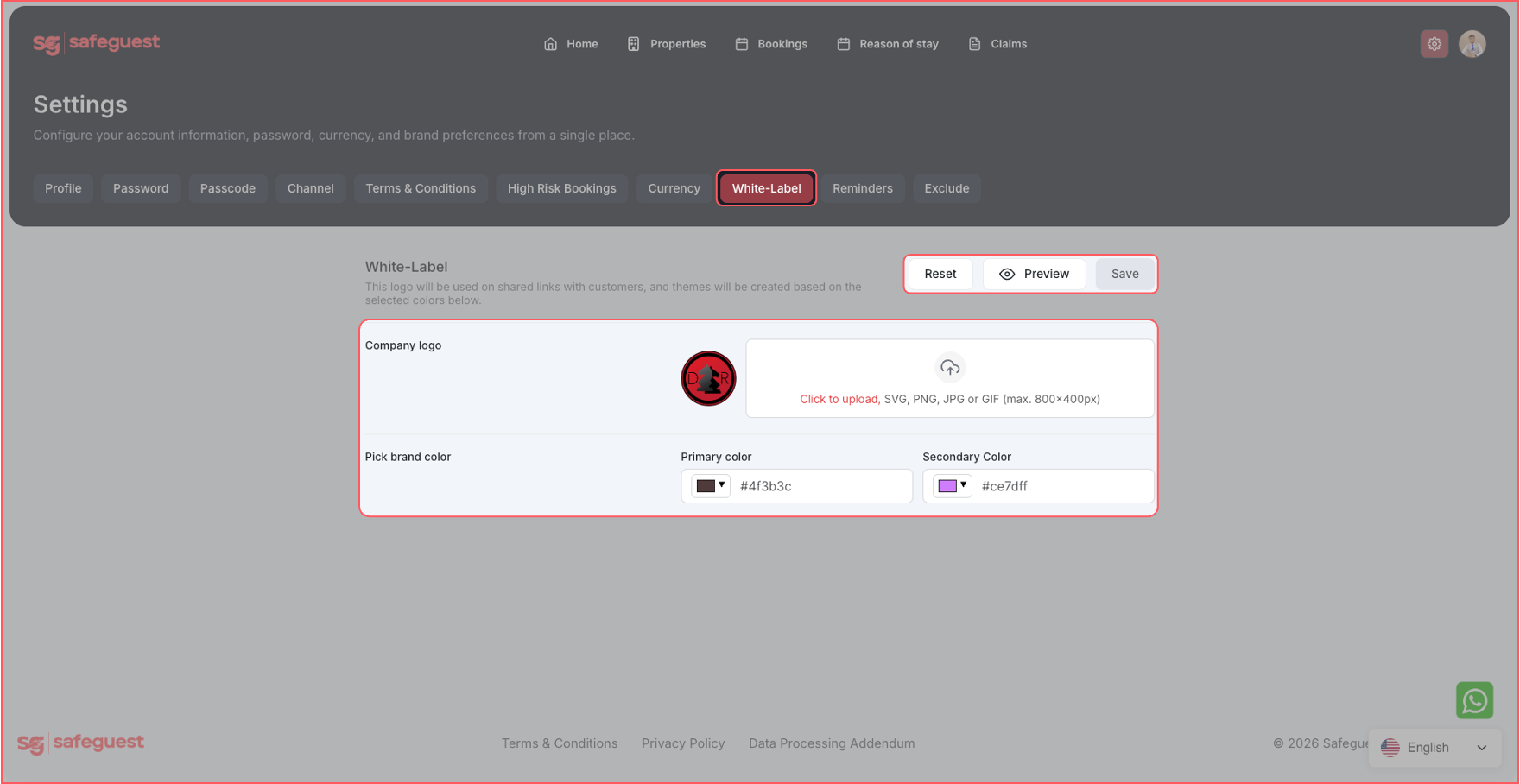
Step 11: Setup White Label Details
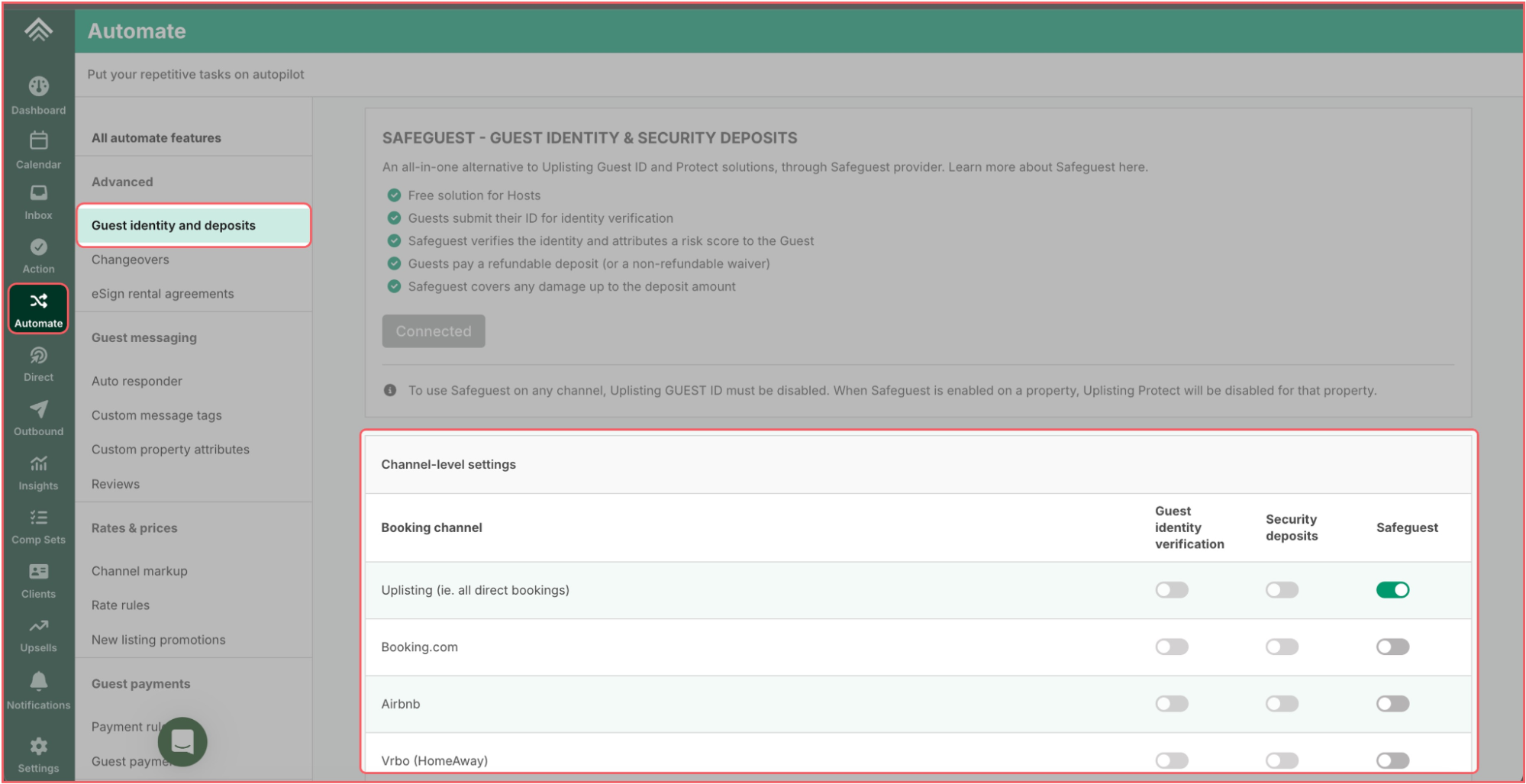
Step 12: Return to your Uplisting account and Navigate to:
Left Sidebar → Automate → Guest identity and deposits → Channel-level settings
Turn OFF:
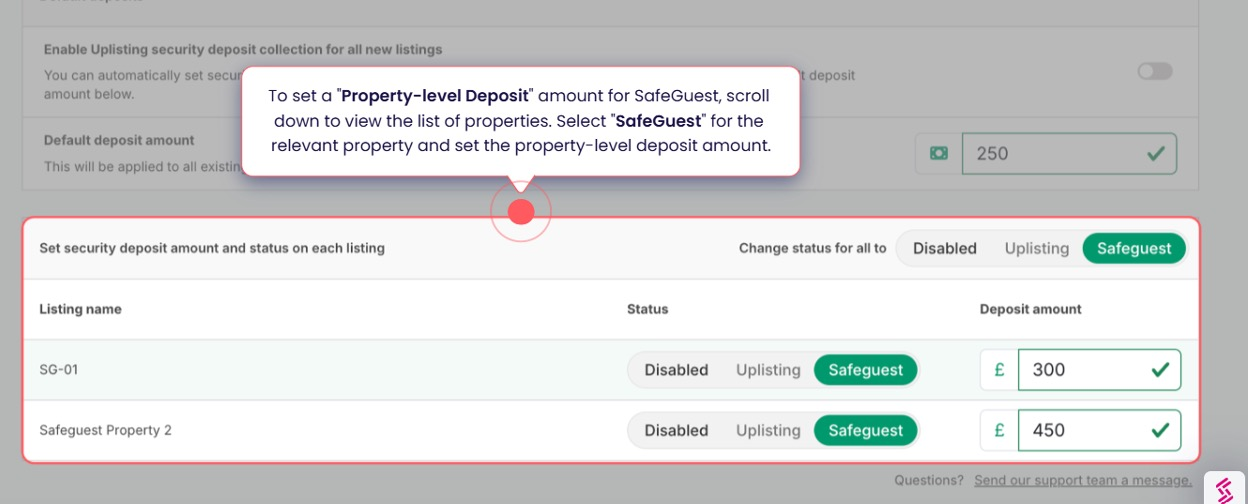
Step 13: Setup property level deposits
You can now set a different security deposit for each property.
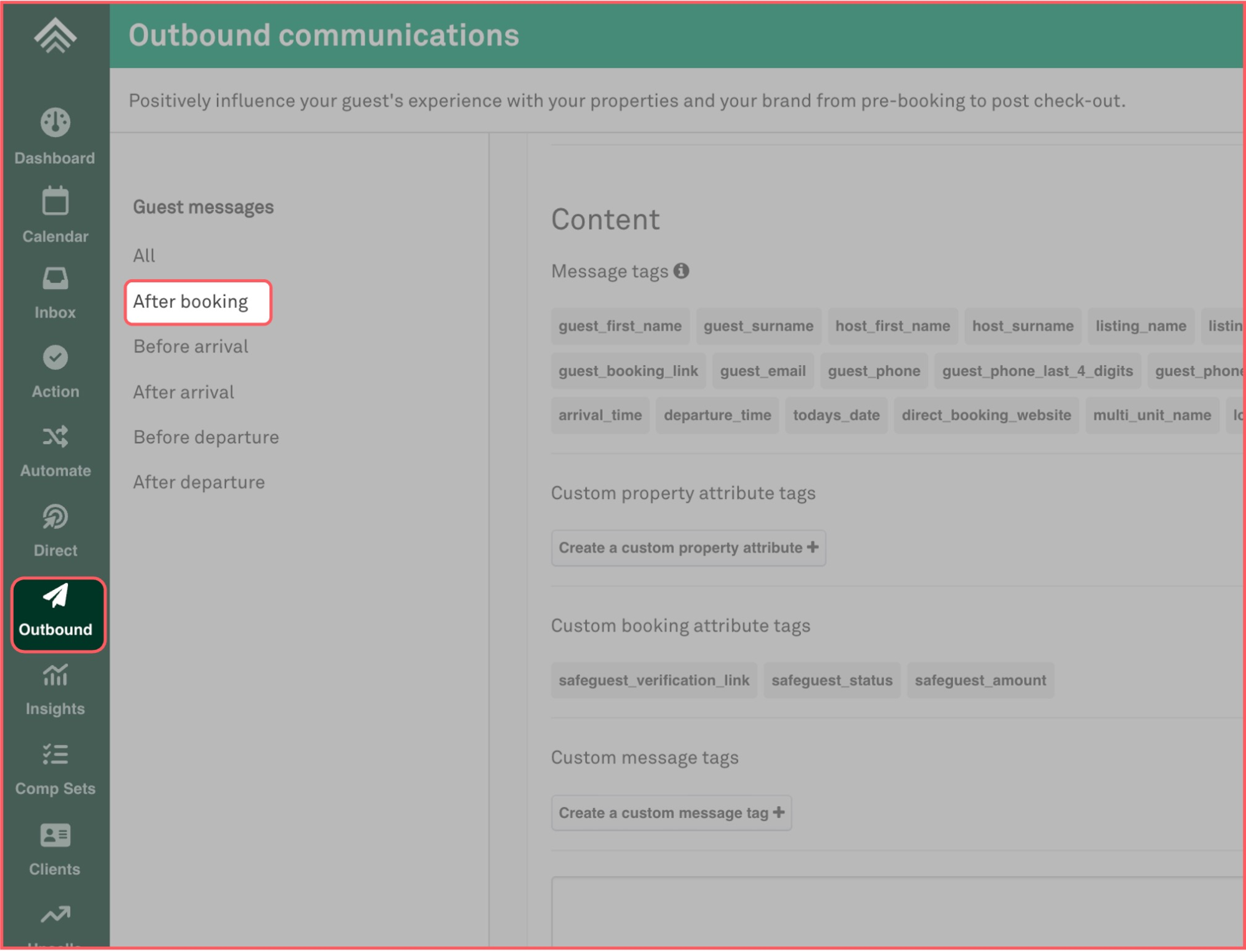
Step 14: Set up automated messages
Additional reminders:
Set up or edit another automation to send messages:
Important:
If you previously added conditions for old verification links (e.g., “Guest Identity & Damage Deposit”), make sure to remove those links from the condition.
Step 15: Verify Your Properties in SafeGuest
Step 16: Verify Your Bookings
Congrats! Your Setup is now completed!
Get Started Today,
Along with Uplisting, SafeGuest integrates with leading property management systems to help vacation rental managers automate guest verification, reduce risk, and protect every reservation. We're continuously expanding our partner network and building new ways to make hosting safer and more seamless.
Follow our blog and social media channels for the latest partnership announcements, product updates, and tips for protecting your properties and guests with SafeGuest.
Smarter Vacation Rental Protection with Uplisting and SafeGuest
Uplisting has built a reputation for making short-term rental management simpler, giving hosts and property managers the tools they need to automate operations, manage reservations, and deliver exceptional guest experiences. Through its partnership with SafeGuest, Uplisting users can now add intelligent guest verification, AI-powered reservation risk assessments, automated security deposits, and industry-leading damage protection directly into their existing workflow.
Together, Uplisting and SafeGuest help hosts reduce risk before guests arrive, eliminate manual screening tasks, and create greater accountability throughout every reservation, all while managing everything from within the Uplisting platform.
About Uplisting
Uplisting was built with a simple mission: to help vacation rental operators spend less time managing day-to-day tasks and more time growing their business. By streamlining operations through intuitive automation and an easy-to-use property management platform, Uplisting gives hosts back control over their time while delivering a smoother experience for both operators and guests.
That same commitment to simplicity is what makes the partnership with SafeGuest a natural fit. Together, Uplisting and SafeGuest help hosts automate guest verification, leverage AI-powered reservation risk insights, collect security deposits or damage waivers, and access industry-leading damage protection—all within their existing workflow. The result is a more efficient operation, stronger protection, and greater confidence with every booking.
Connect Your Uplisting Account to SafeGuest
Step 1: Log into your Uplisting account
Step 2: Navigate to:
Left Sidebar → Automate → Guest identity and deposits → SAFEGUEST
Step 3: Enter your email address and click “Sign up for Safeguest”
A confirmation email will be sent to the email address.
Step 4: Confirm you email address
- Check your email inbox and click “COMPLETE SIGNUP”
- You will be redirected to: https://app.safeguest.ai/
Step 5: Create a SafeGuest account
- Enter your First Name, Last Name, Email and Password
- Accept the Terms and Conditions
- Click “Create an account”
Step 6: Complete the Setup Banner Steps
Step 7: Go to your SafeGuest Settings Page
Step 8: Update Profile Details
Step 9: Setup High Risk Bookings Details
Step 10: Setup Currency and Security Deposit Details
Step 11: Setup White Label Details
- Add your Company Logo and Brand Colors
Step 12: Return to your Uplisting account and Navigate to:
Left Sidebar → Automate → Guest identity and deposits → Channel-level settings
Turn OFF:
- Guest Identity Verification
- Security Deposits
- SafeGuest
Step 13: Setup property level deposits
You can now set a different security deposit for each property.
Step 14: Set up automated messages
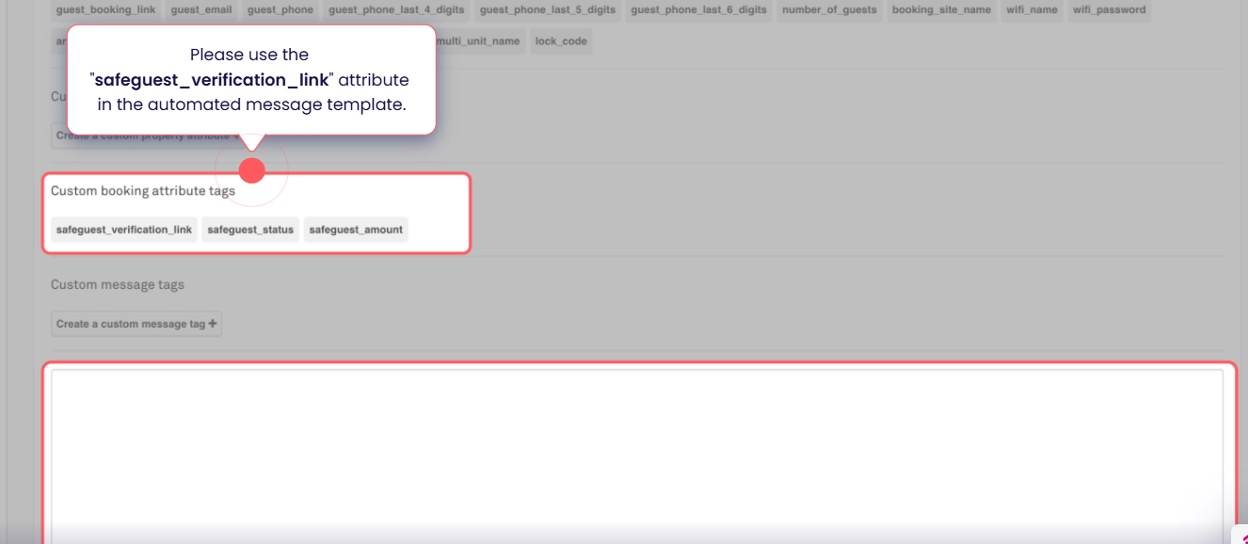
- Navigate to: Left Sidebar → Outbound → After booking
- Edit your message content by adding the SafeGuest verification link. Please remember to replace any old verification links or pre-arrival forms with the SafeGuest link so guests complete the correct process before their stay.
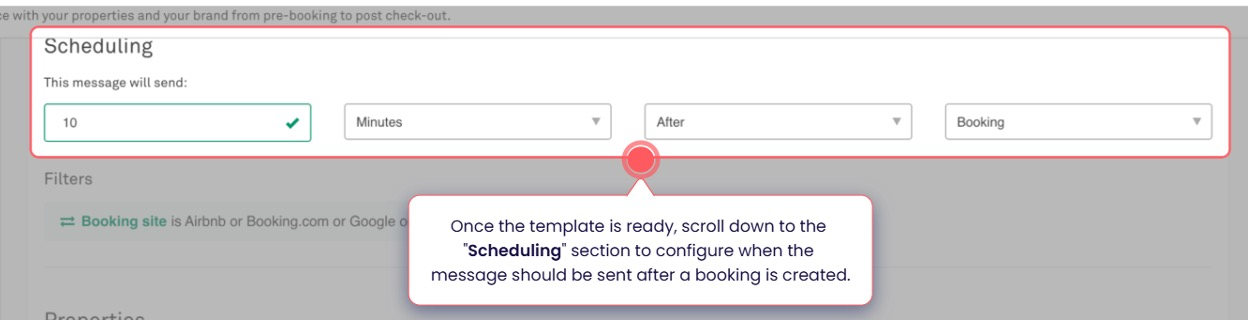
- Schedule a message 10 minutes after booking is confirmed
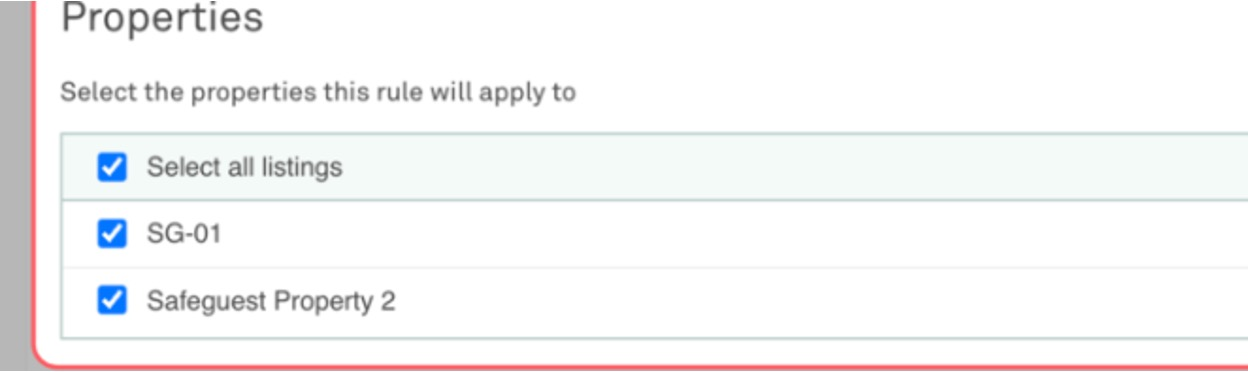
- Select the properties
Additional reminders:
Set up or edit another automation to send messages:
- 5 days before arrival
- 3 days before arrival
Important:
If you previously added conditions for old verification links (e.g., “Guest Identity & Damage Deposit”), make sure to remove those links from the condition.
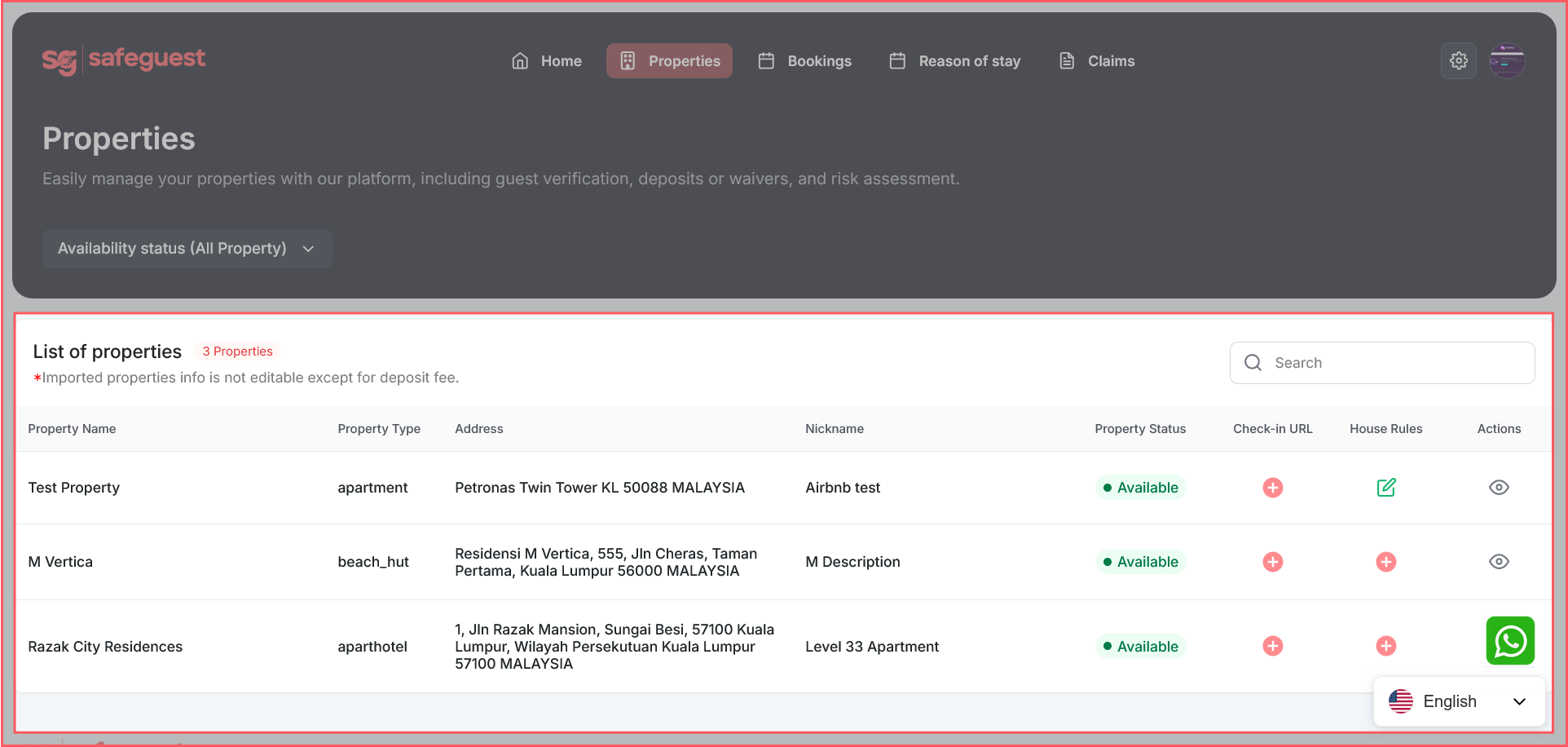
Step 15: Verify Your Properties in SafeGuest
- Return to your SafeGuest account.
- Click on the Properties page from the main menu.
- Wait if needed: synchronization usually takes less than 1 minute to complete.
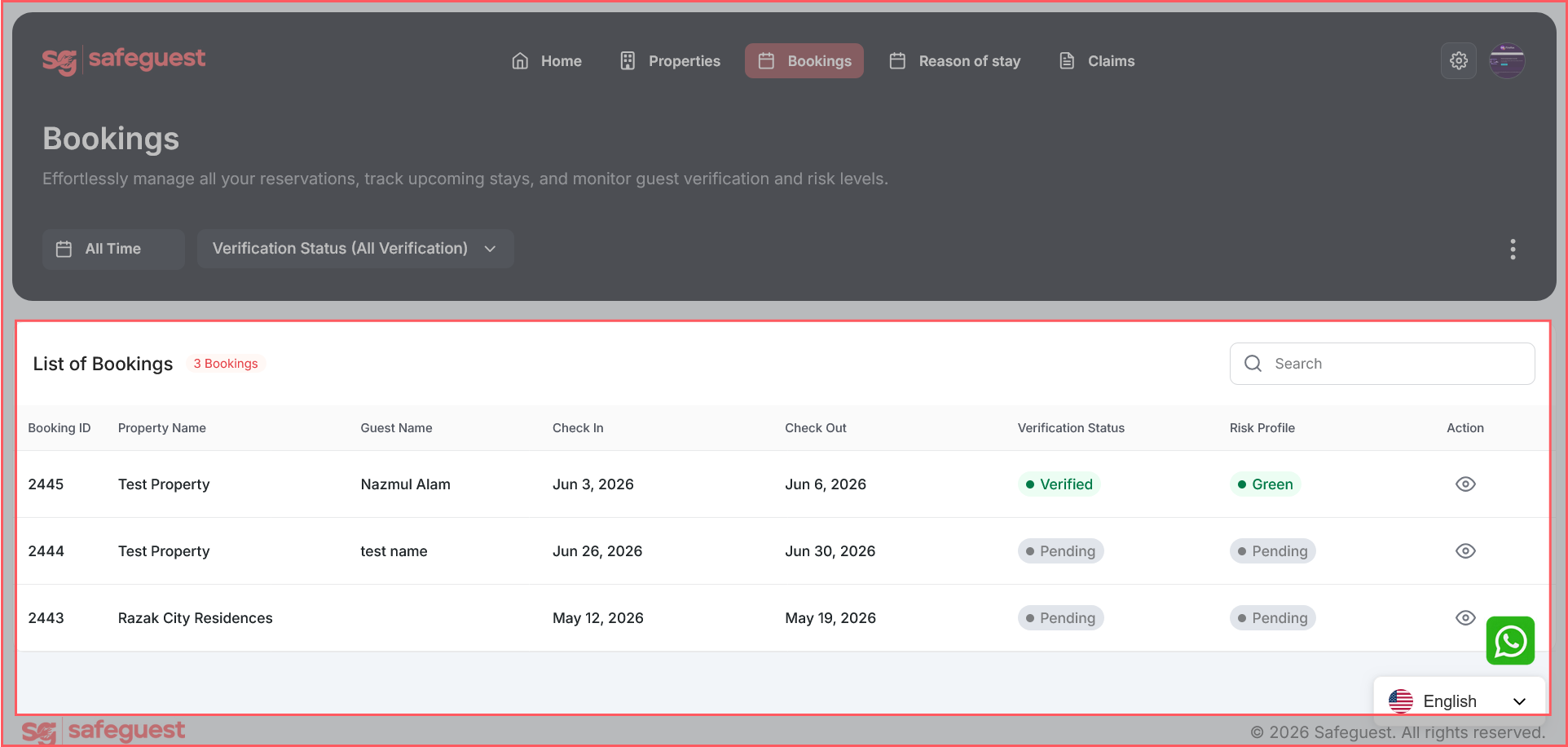
Step 16: Verify Your Bookings
- Open the Bookings page: Click on Bookings in the navigation menu
- Any new bookings after the onboarding process will appear in this page
- View booking details: Click the Eye icon next to a booking to open and review details
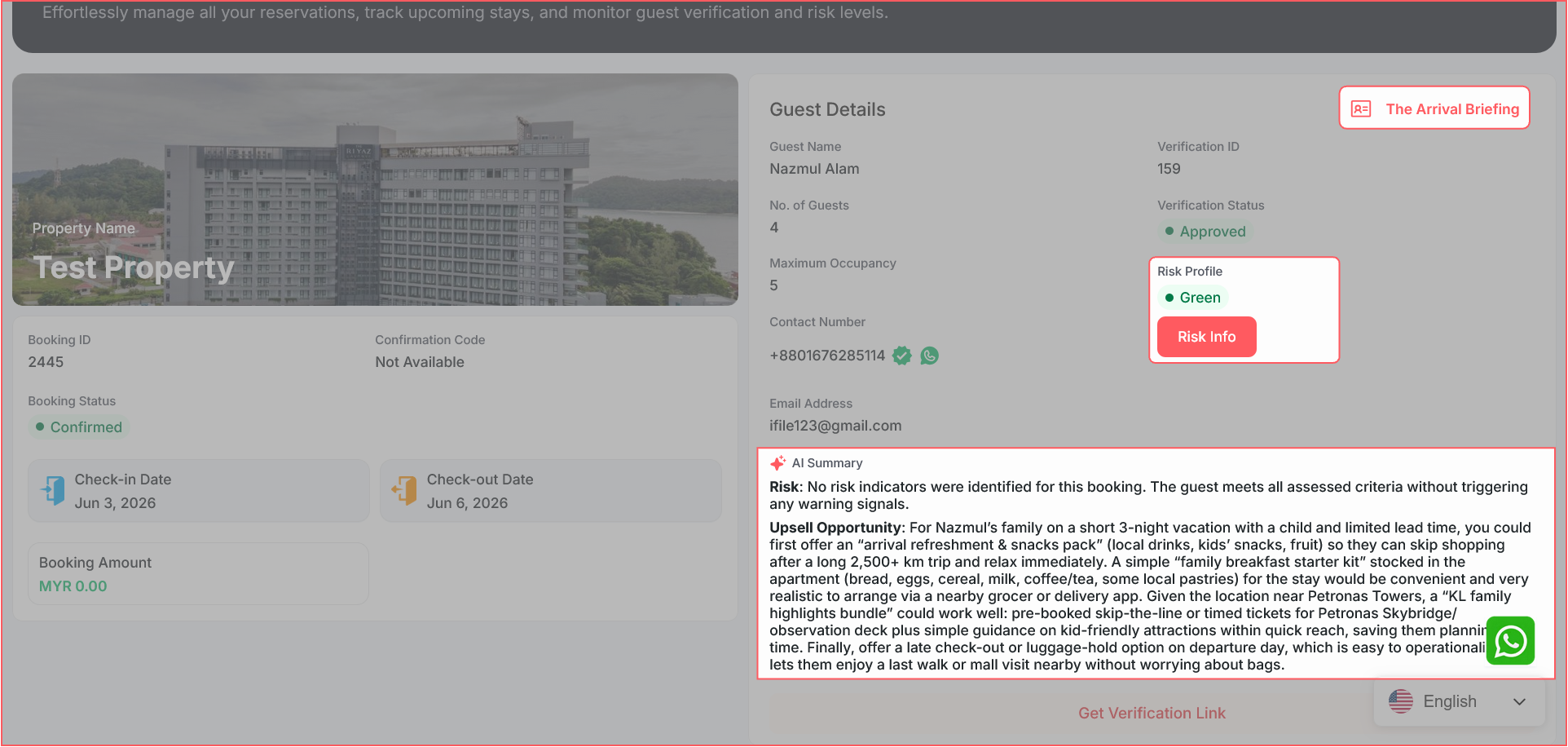
- Wait for the guest to complete verification: Once the guest has successfully completed the SafeGuest verification process, additional information will become available within the booking details
- Review the guest’s Arrival Briefing to access relevant booking and stay information
- Review the guest’s Risk Score to better assess potential booking risks
- Read the AI-generated Summary for an overview of the guest verification results
- View booking details: Click the Eye icon next to a booking to open and review details
Congrats! Your Setup is now completed!
Get Started Today,
Along with Uplisting, SafeGuest integrates with leading property management systems to help vacation rental managers automate guest verification, reduce risk, and protect every reservation. We're continuously expanding our partner network and building new ways to make hosting safer and more seamless.
Follow our blog and social media channels for the latest partnership announcements, product updates, and tips for protecting your properties and guests with SafeGuest.
Know before they knock.
Safeguest Prevent verifies every guest before arrival. Free for hosts.