← Back to all articles
SafeGuest + Hostfully Software Integration
15 July 2026
Hostfully and SafeGuest have partnered to give vacation rental managers a smarter way to protect every reservation. By combining Hostfully's powerful property management platform with SafeGuest's AI-powered guest verification, damage protection, and automated deposit collection, hosts can reduce risk while delivering a seamless guest experience.
Smarter Vacation Rental Protection with Hostfully and SafeGuest
Hostfully is a leading vacation rental property management platform built to help property managers streamline operations, automate workflows, and deliver exceptional guest experiences. By partnering with SafeGuest, hosts can now add intelligent guest screening, ID verification, automated security deposits, and damage protection directly into their booking process, creating a safer, more seamless experience from reservation to checkout.
About Hostfully
Since 2015, Hostfully has empowered vacation rental managers with an all-in-one property management platform designed to simplify operations and support business growth. Trusted by property managers around the world, Hostfully combines powerful automation, channel management, digital guidebooks, and more than 150+ integrations to help operators save time while delivering outstanding guest experiences.
Through the Hostfully and SafeGuest integration, property managers can seamlessly automate guest verification, assess reservation risk leveraging AI, collect security deposits or damage waivers, and access industry-leading damage protection, all without adding extra manual work. The integration helps hosts reduce fraud, minimize costly incidents, and confidently welcome every guest while continuing to manage reservations from within Hostfully.
Together, Hostfully and SafeGuest give vacation rental managers the tools they need to operate more efficiently, protect their properties, and create a safer experience for every booking without costing them a dime.
Connect Your Hostfully Account to SafeGuest
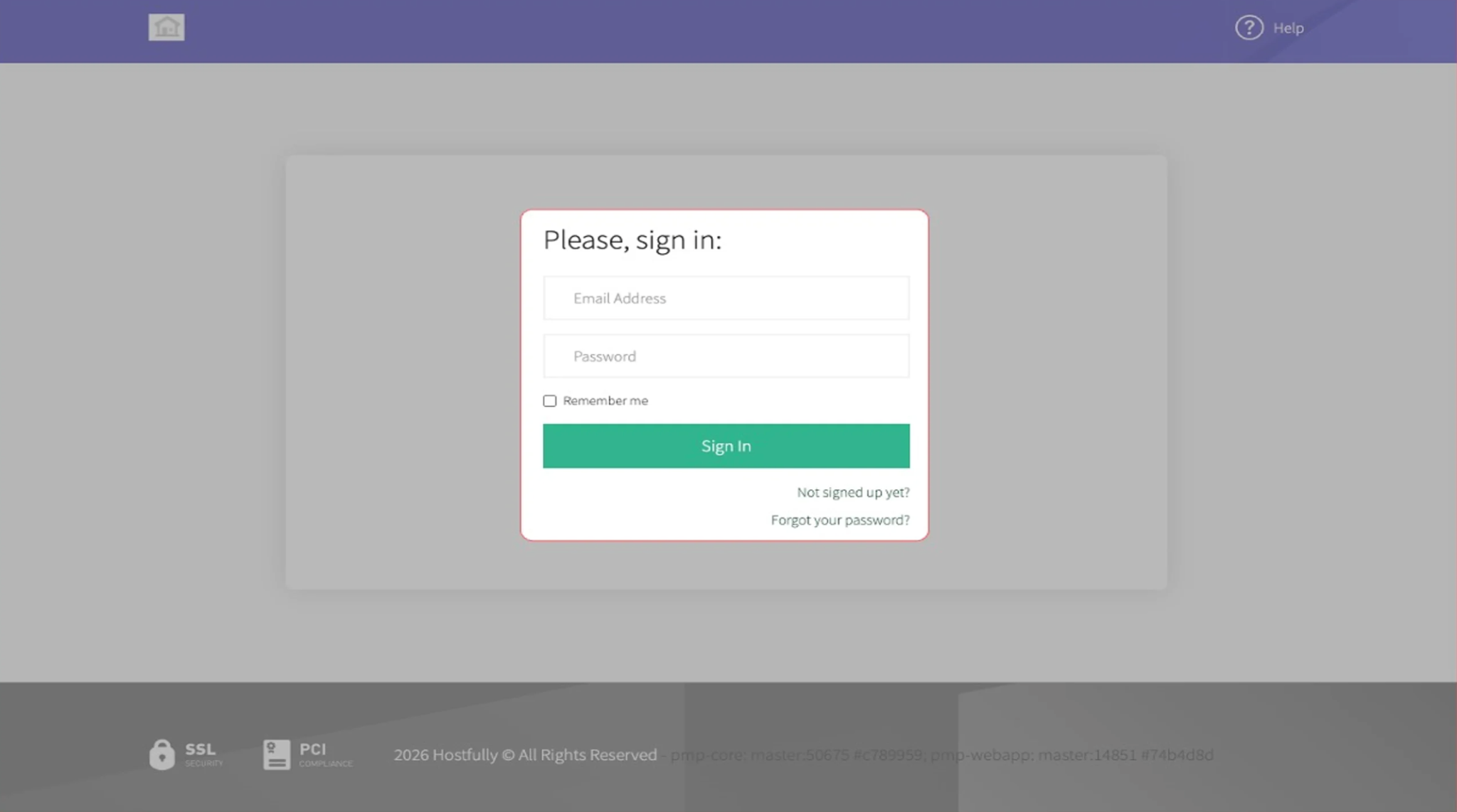
Step 1: Sign into Your Hostfully Account
Login into your Hostfully account
Step 2: Access Your Account Menu
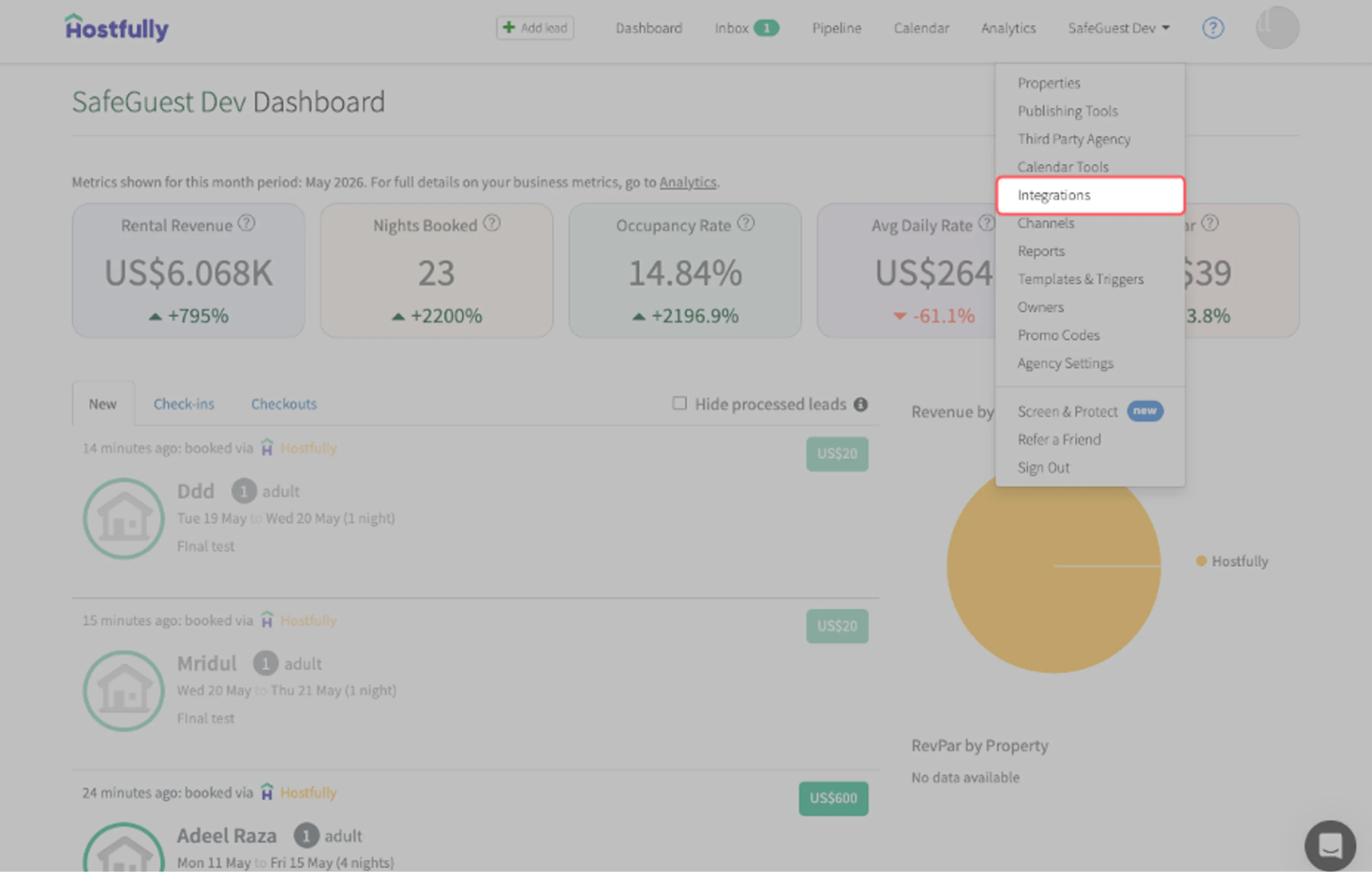
Locate your account name, which is next to your profile picture on the top-right corner
Click on your account name to view the account options
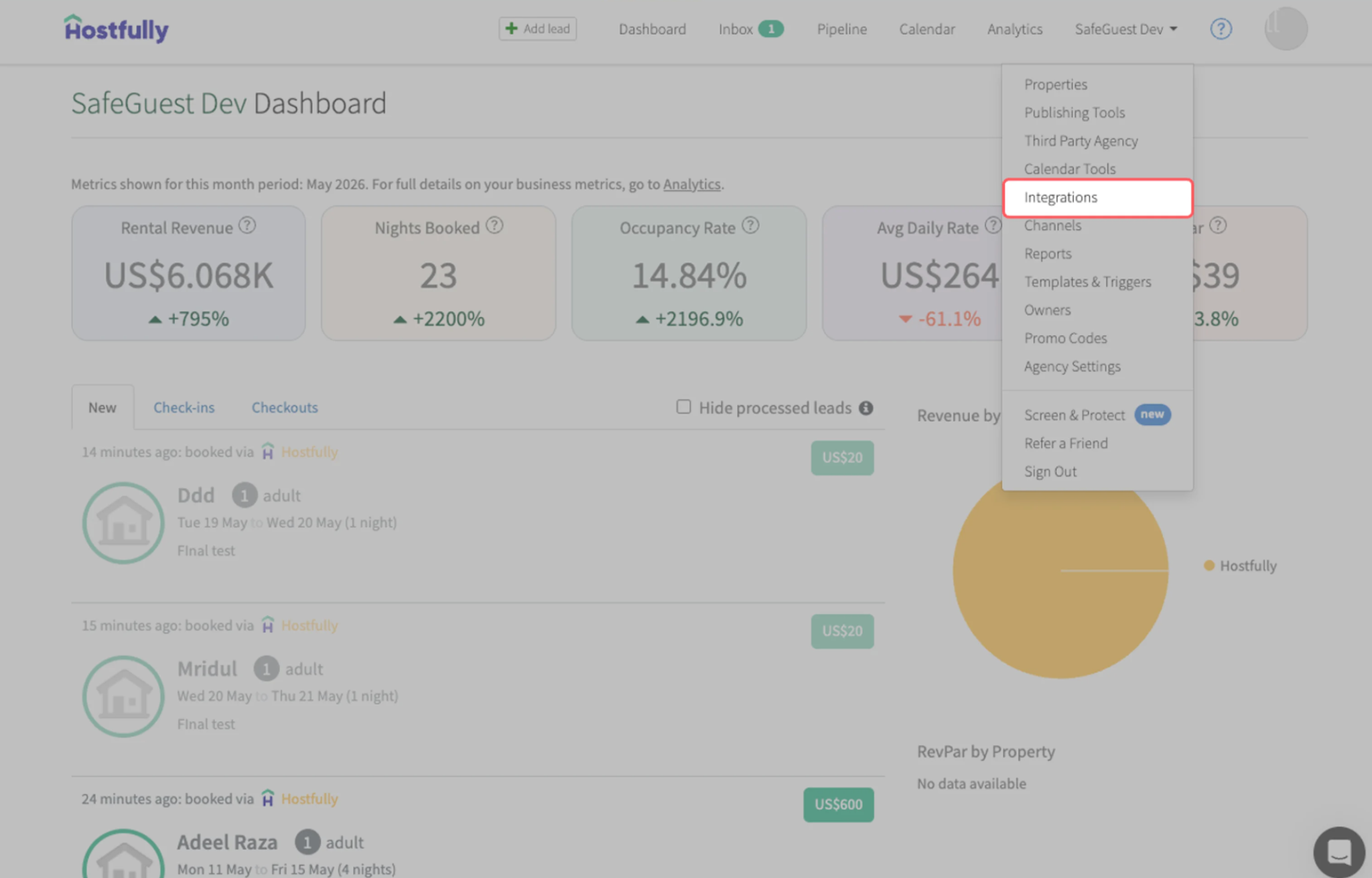
Click on Integrations from the dropdown menu to access the settings page
Step 3: Connect SafeGuest via Hostfully Integrations
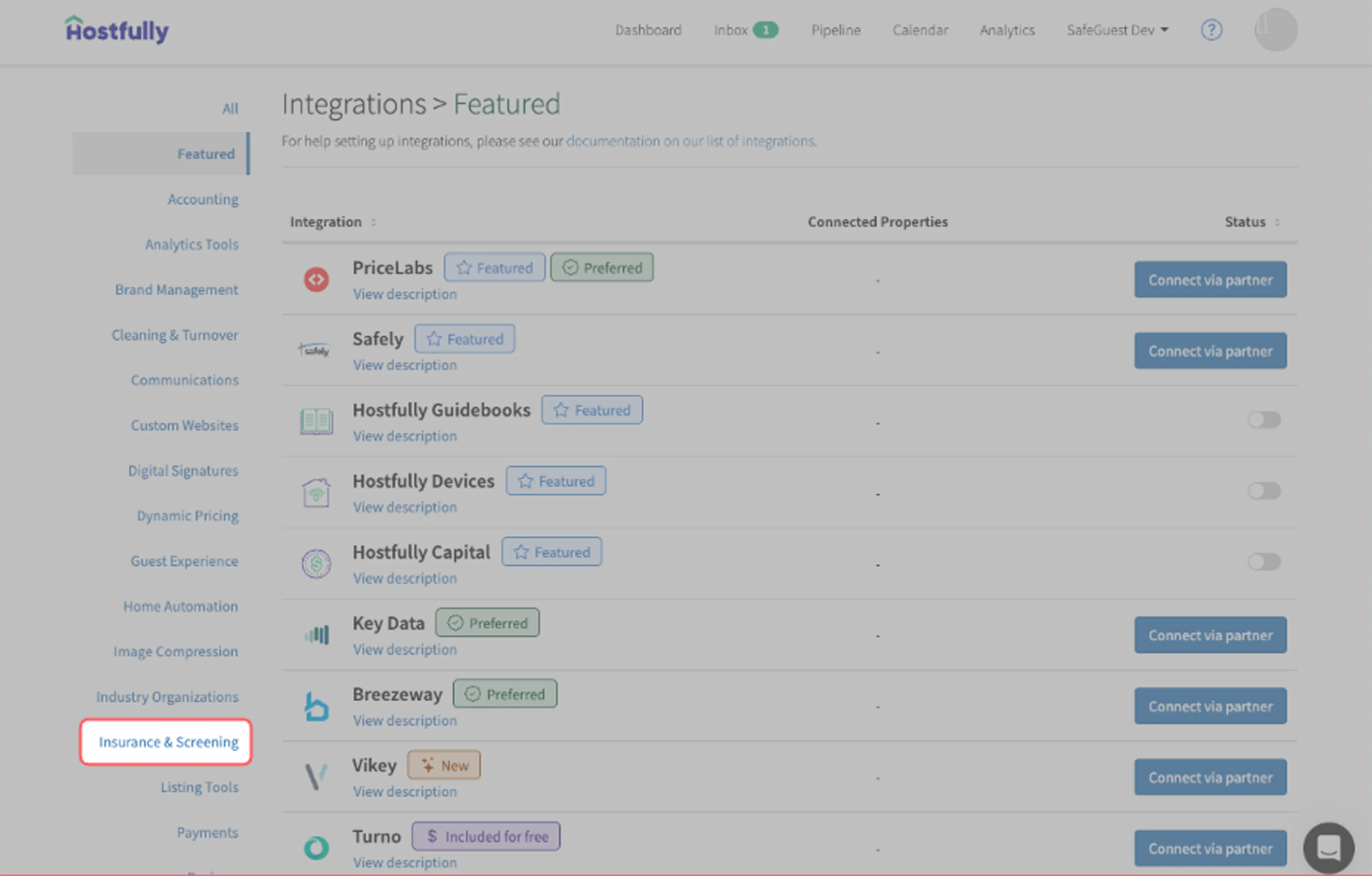
On the Integrations page, click on Insurance & Screening
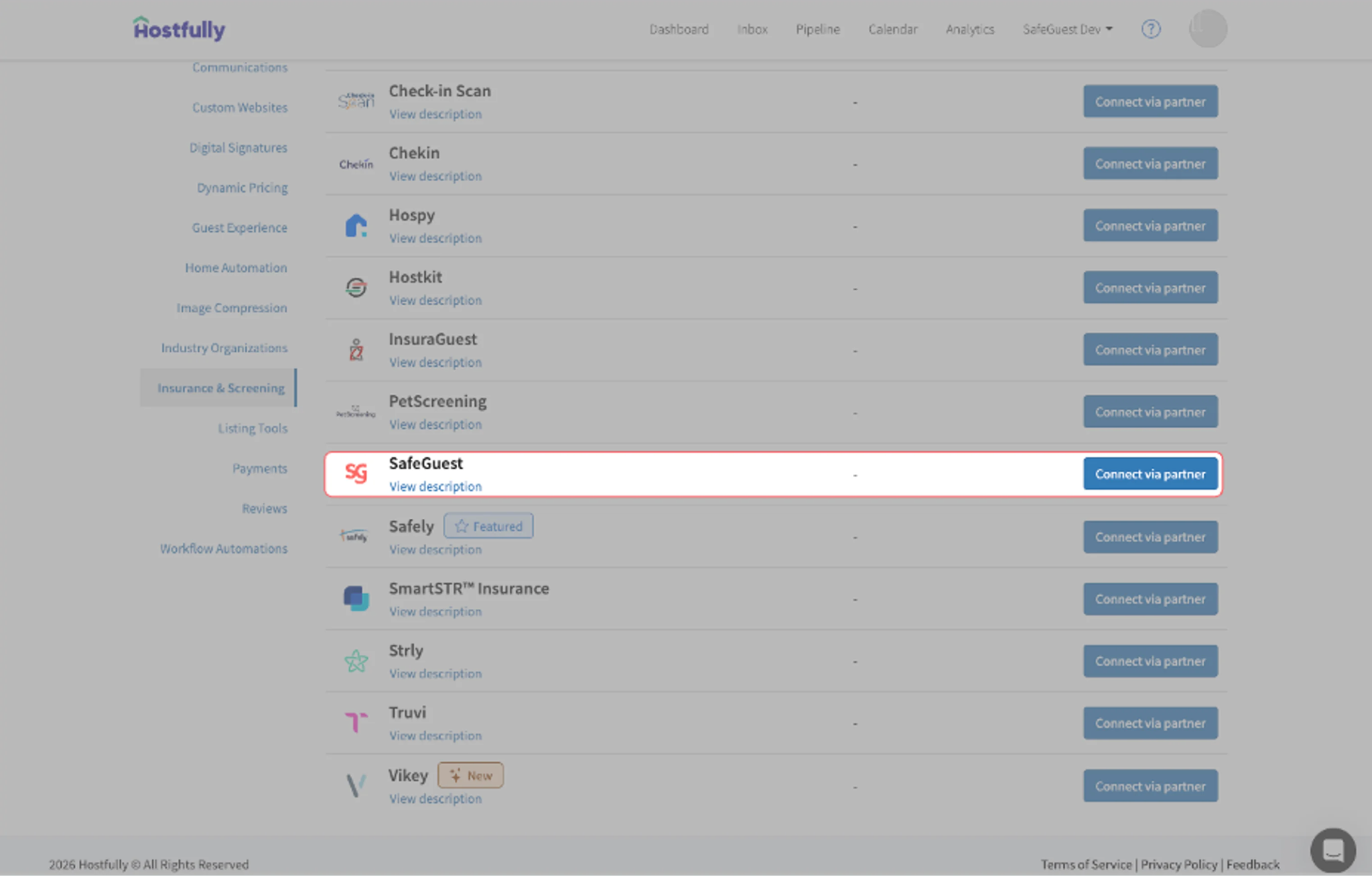
Locate SafeGuest under available integrations
Click Connect via Partner to begin the connection process
Sign into SafeGuest: you will be redirected to the SafeGuest login page
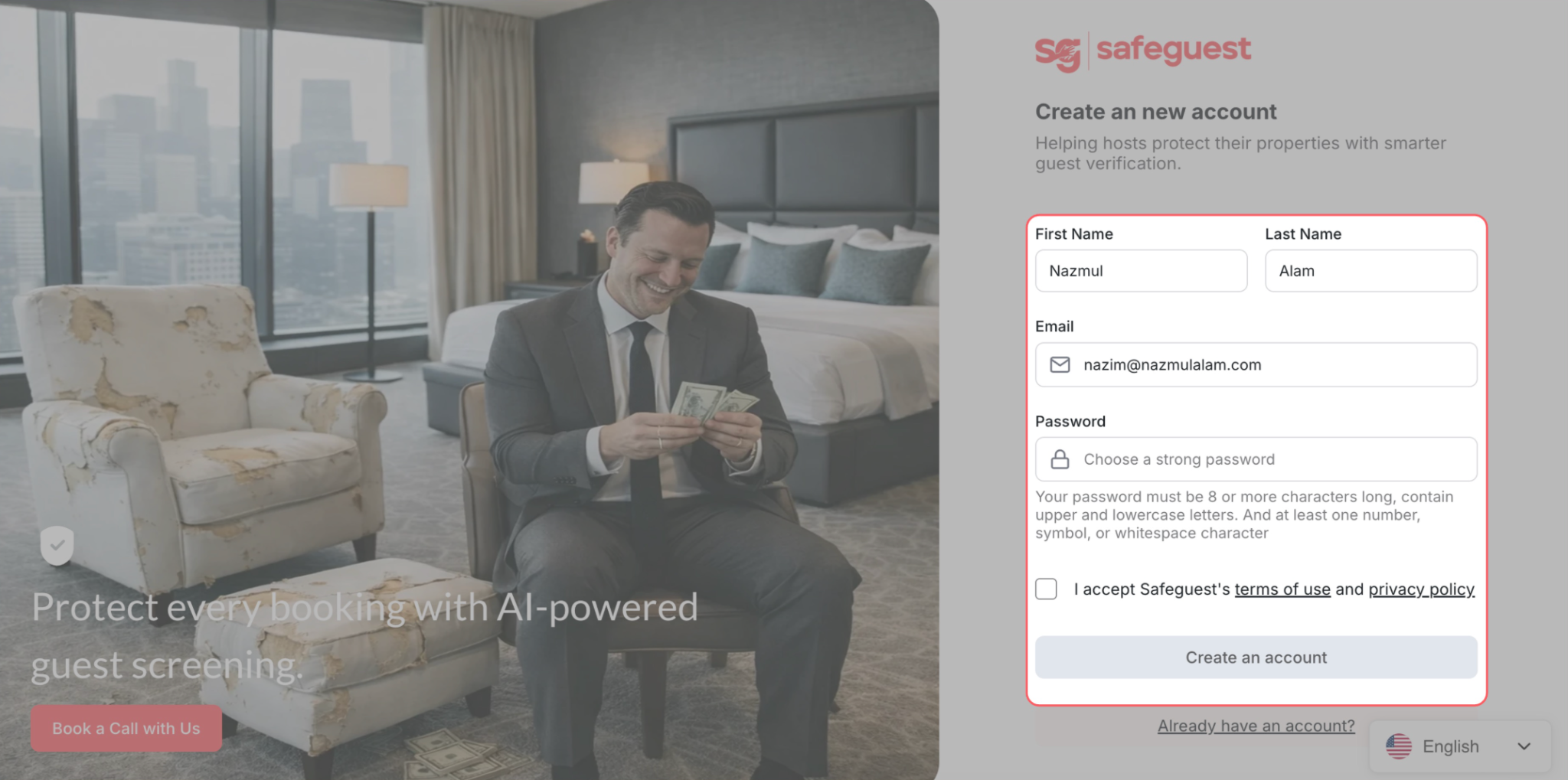
Step 4: Create your SafeGuest Account
Enter your details
Accept the terms and conditions
Click the Create an account button
Step 5: Verify Your Email Address
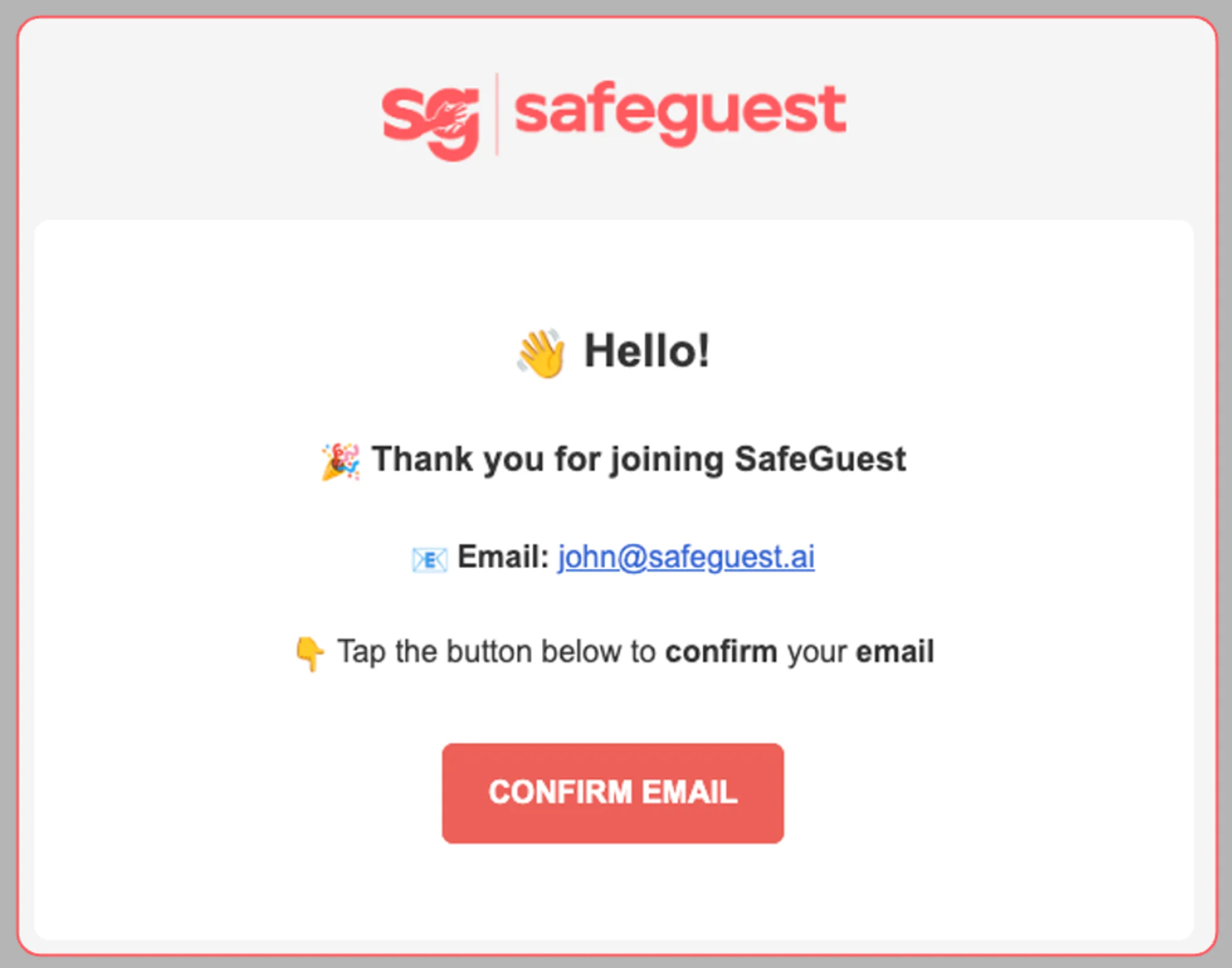
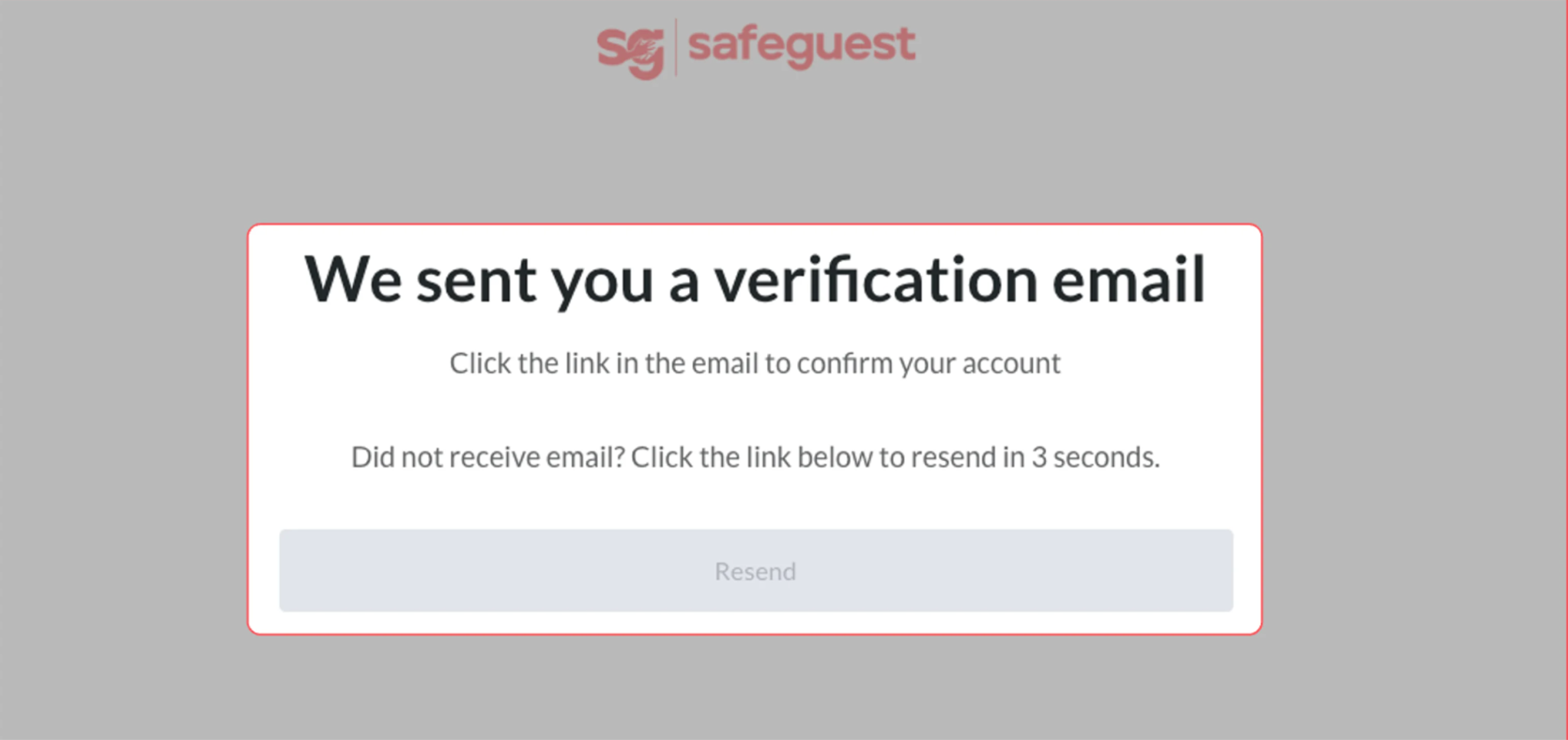
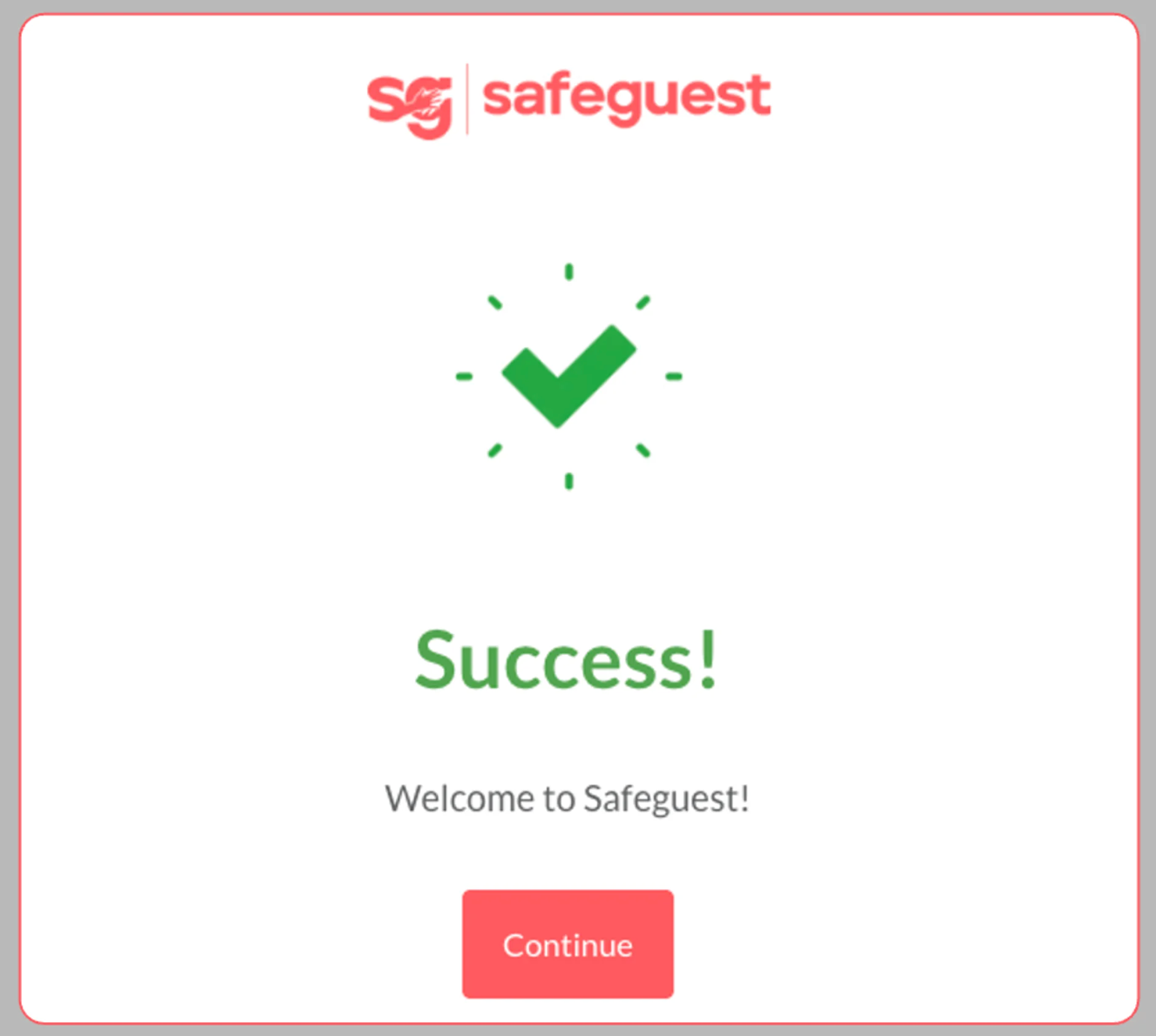
Open the verification email, click Confirm Email, then select Continue on the confirmation page
Step 6: Select Hostfully During Onboarding
On the SafeGuest onboarding screen, select Hostfully from the list of integrations, then click Continue.
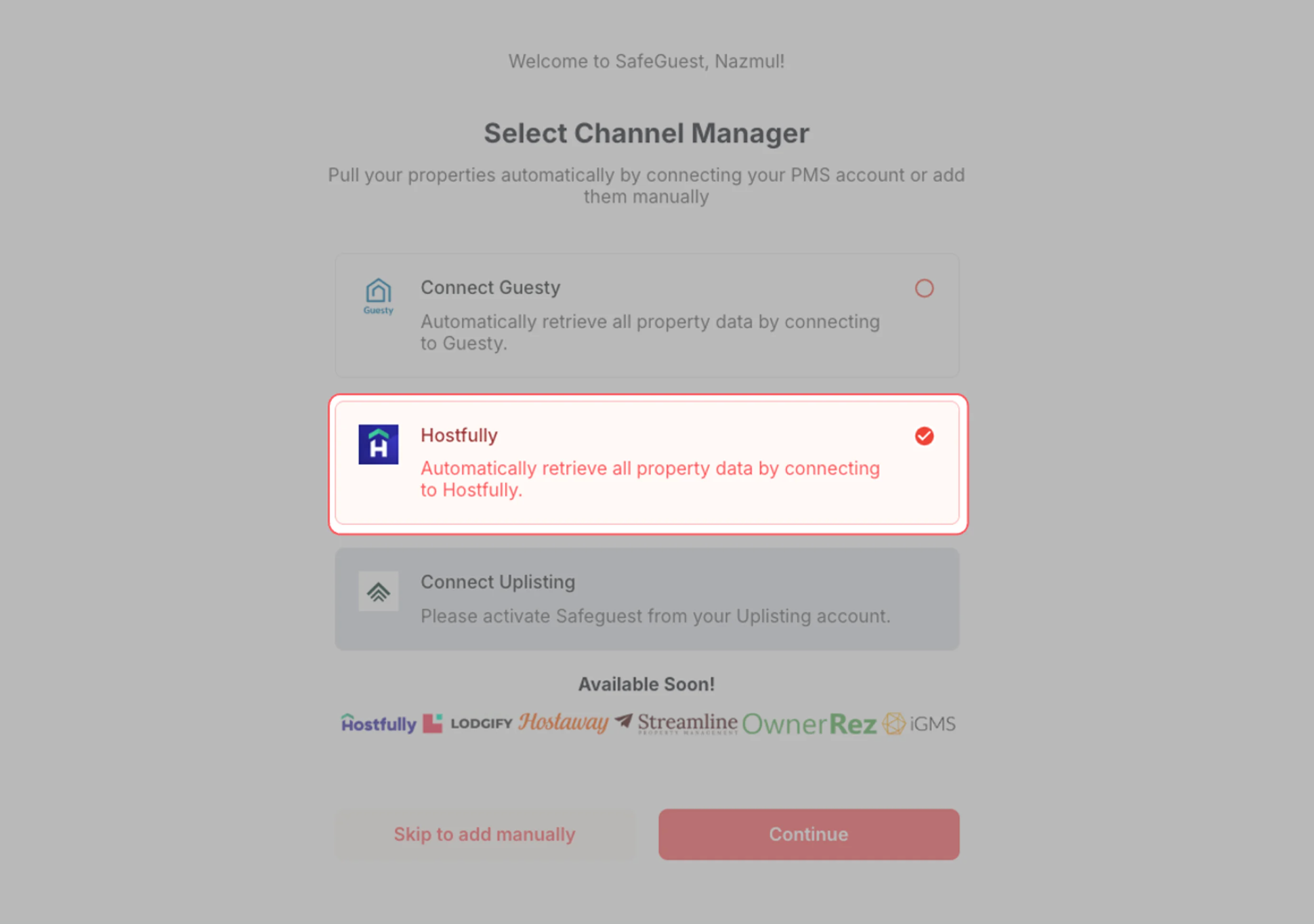
Step 7: Log In and Authorize Hostfully
Log in to your Hostfully account (if prompted), review the requested permissions, then click Allow to connect your account.
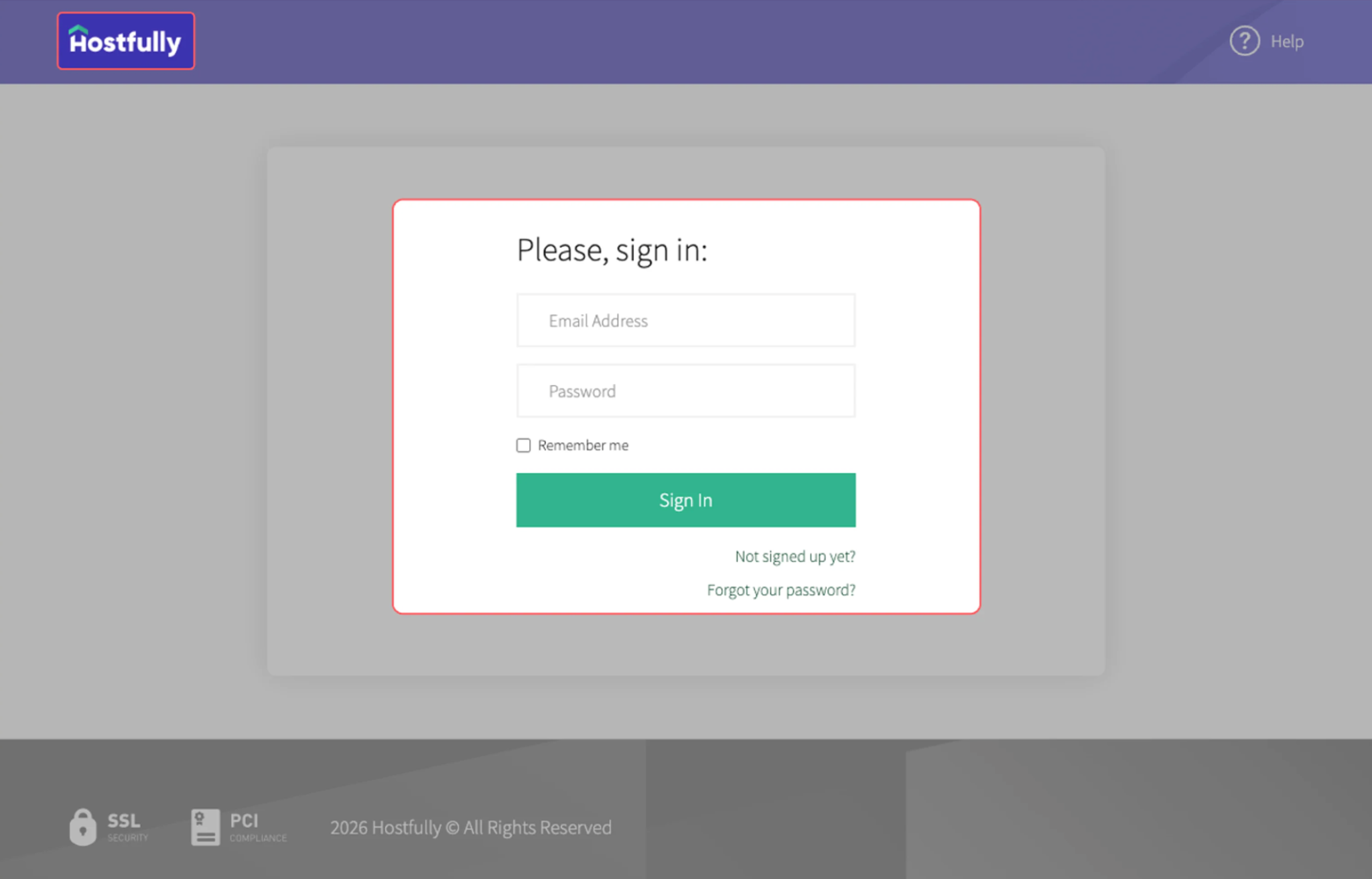
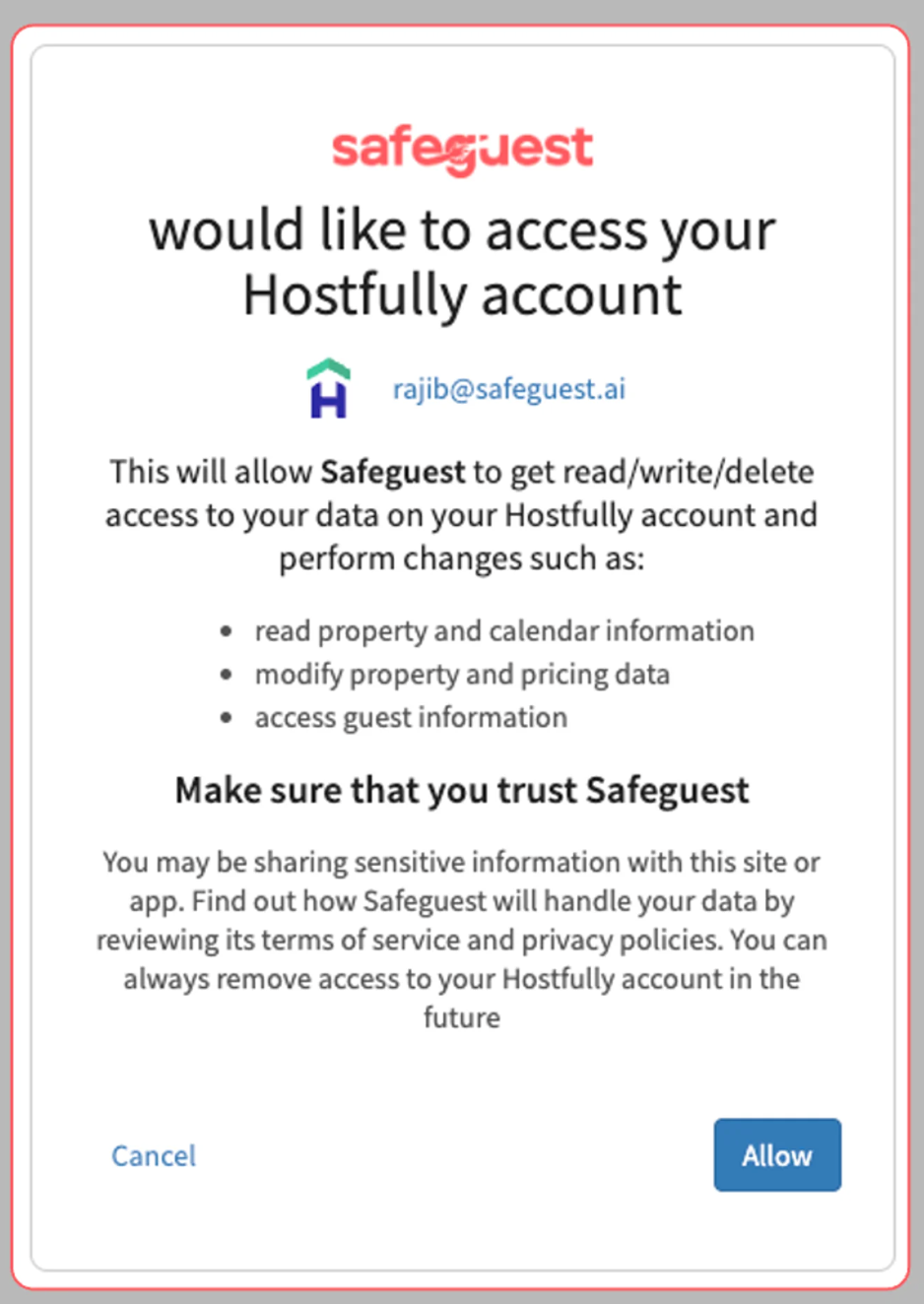
Step 8: Complete the Setup Banner Steps
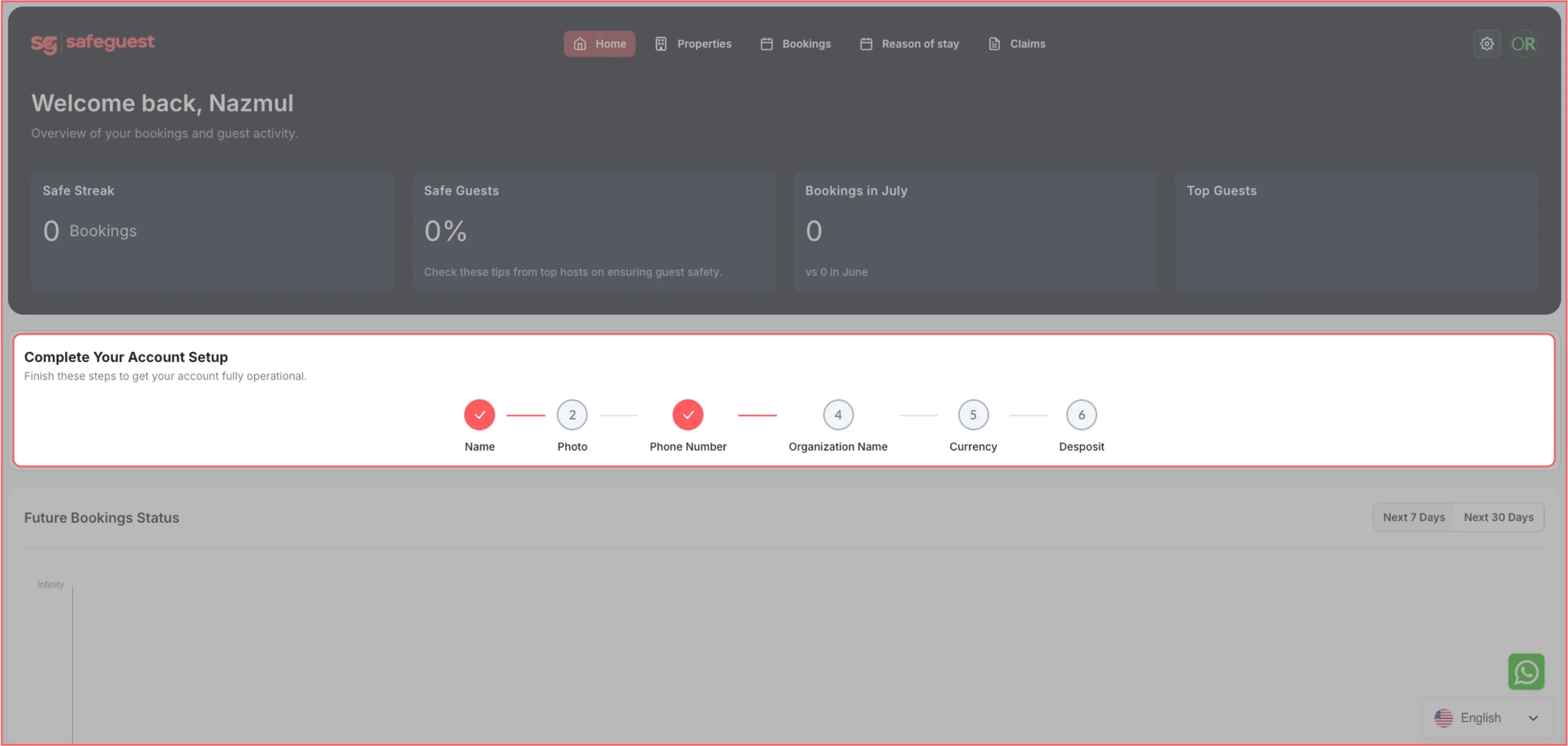
Go to your SafeGuest Settings Page
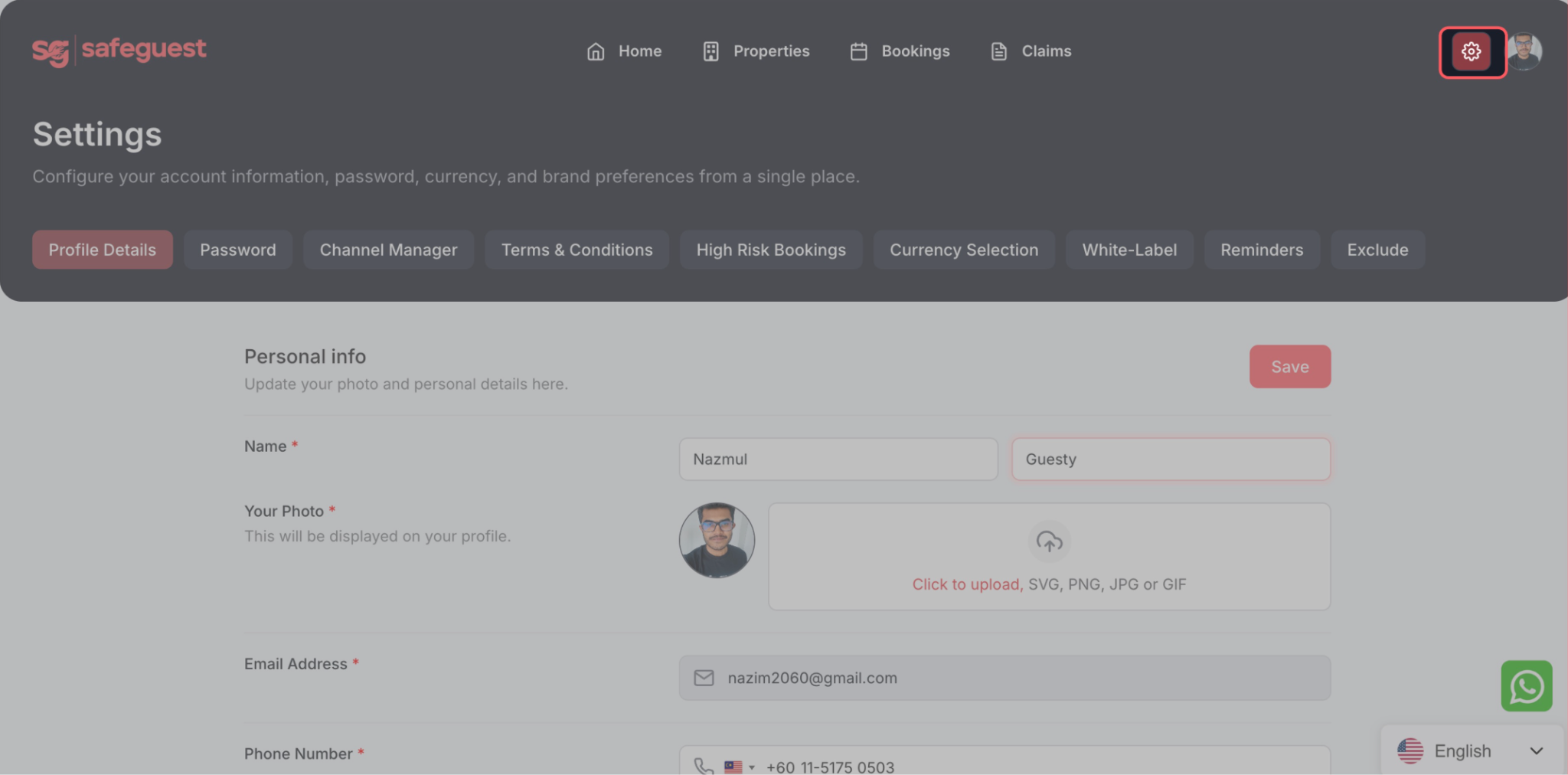
Navigate to: Profile Details page
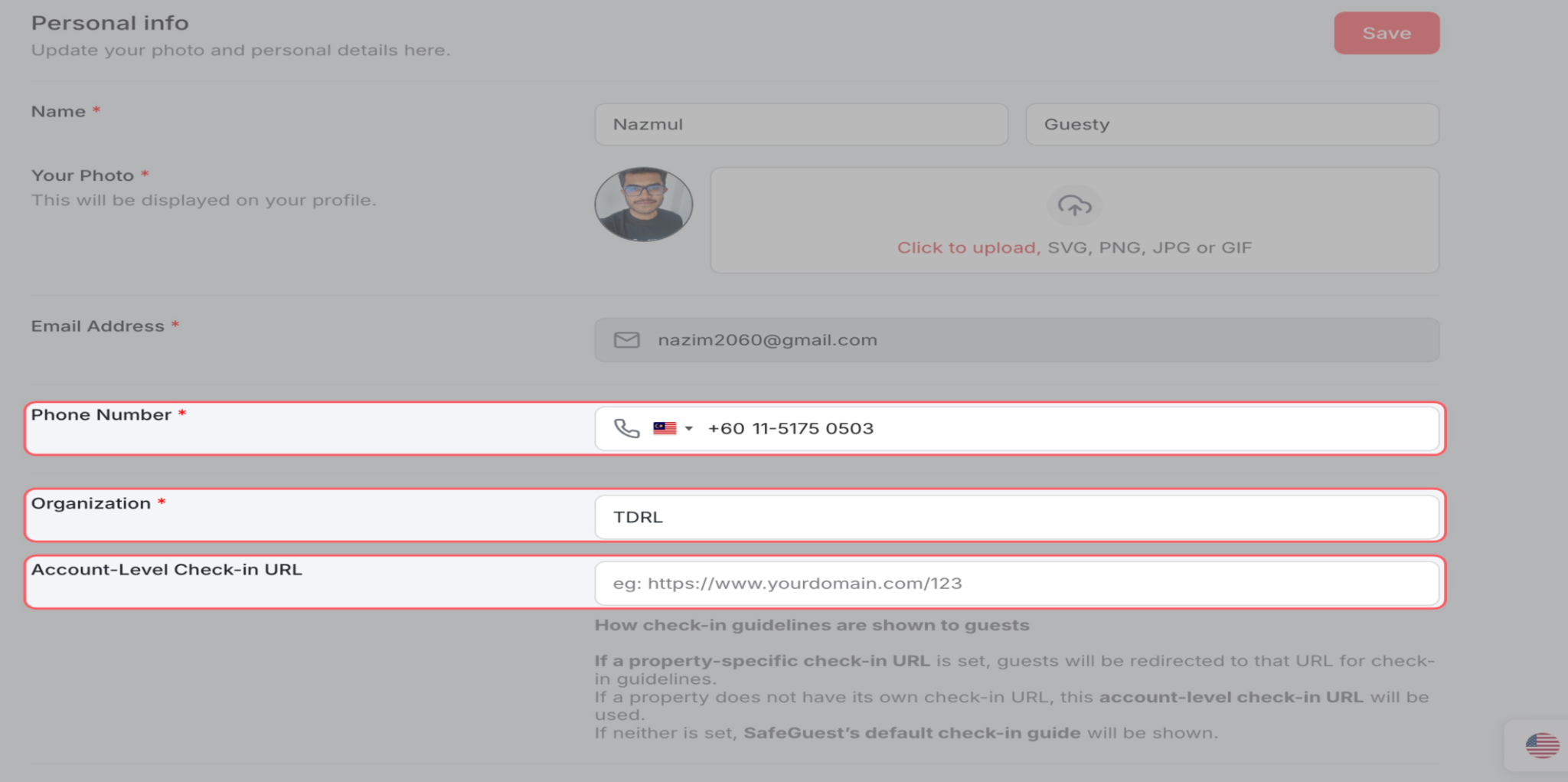
Update the profile details:
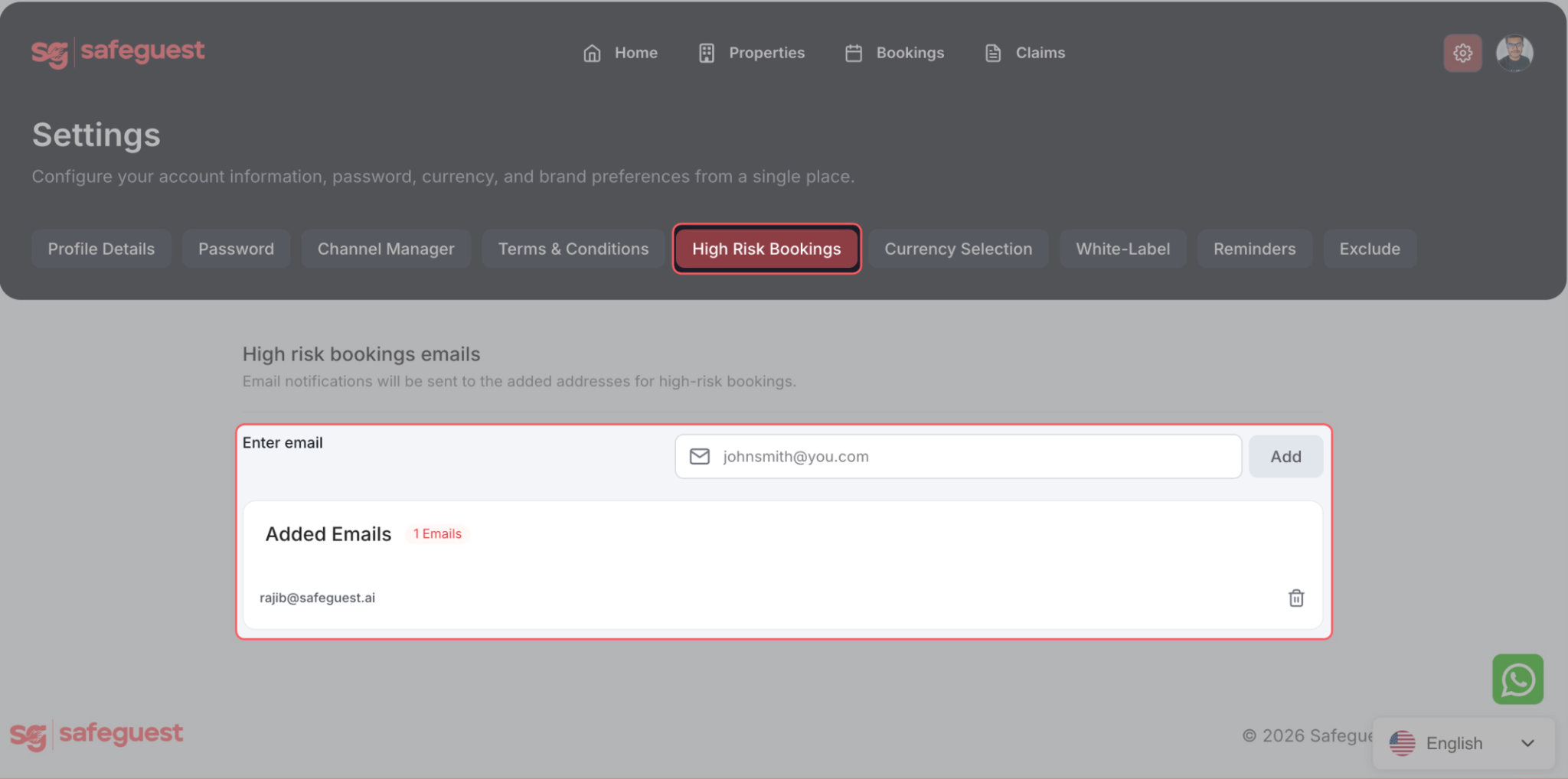
In the High Risk Bookings page, add the email address(es) that will receive notifications for high-risk (red) bookings.
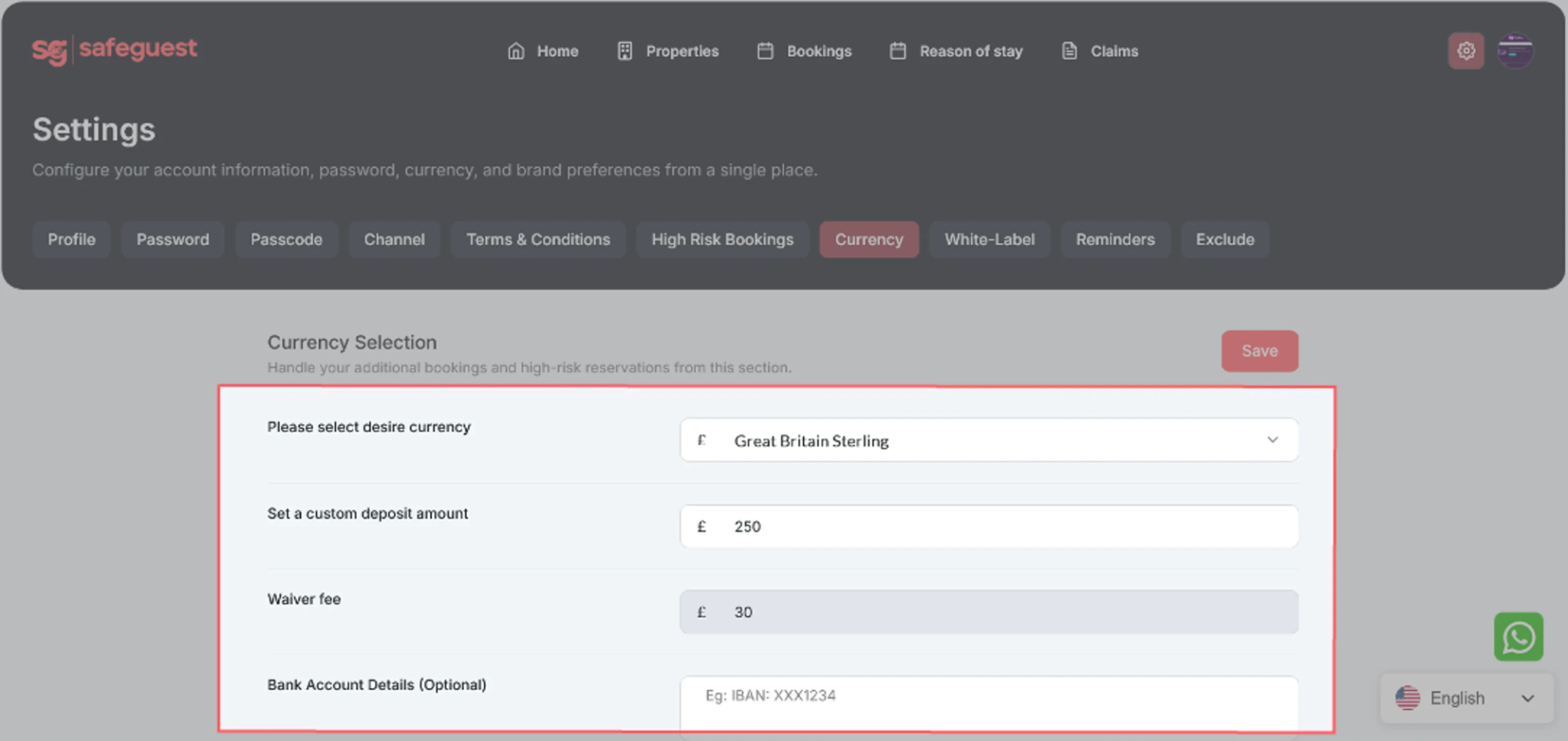
Select your currency, enter your default security deposit amount, then click Save. Your damage waiver amount will be calculated automatically.
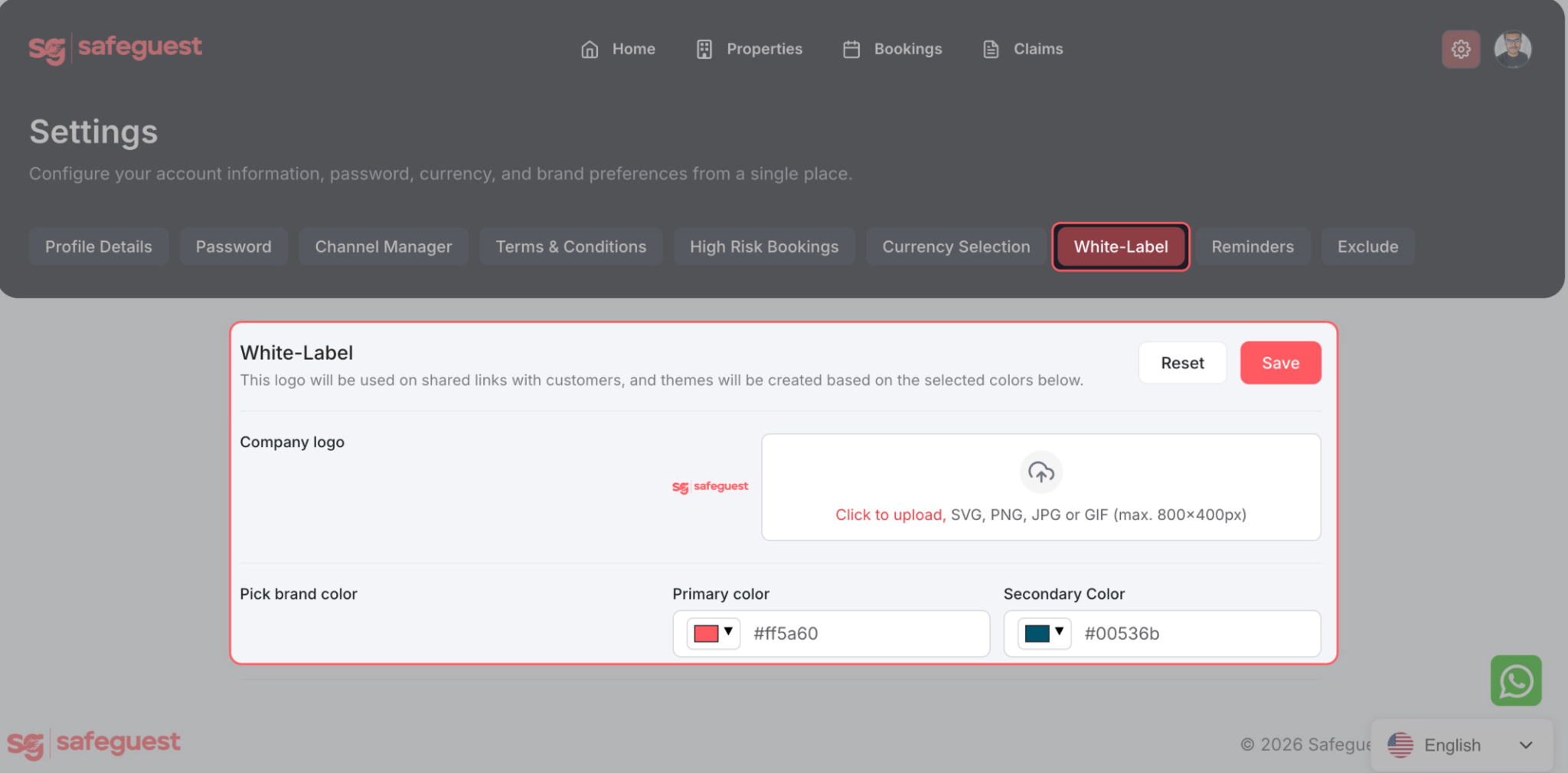
White-label: Upload your company logo and customize your brand colors.
Step 9: Activate SafeGuest in Hostfully Settings
In your Hostfully dashboard, click your Agency Name (top right), then select Integrations.
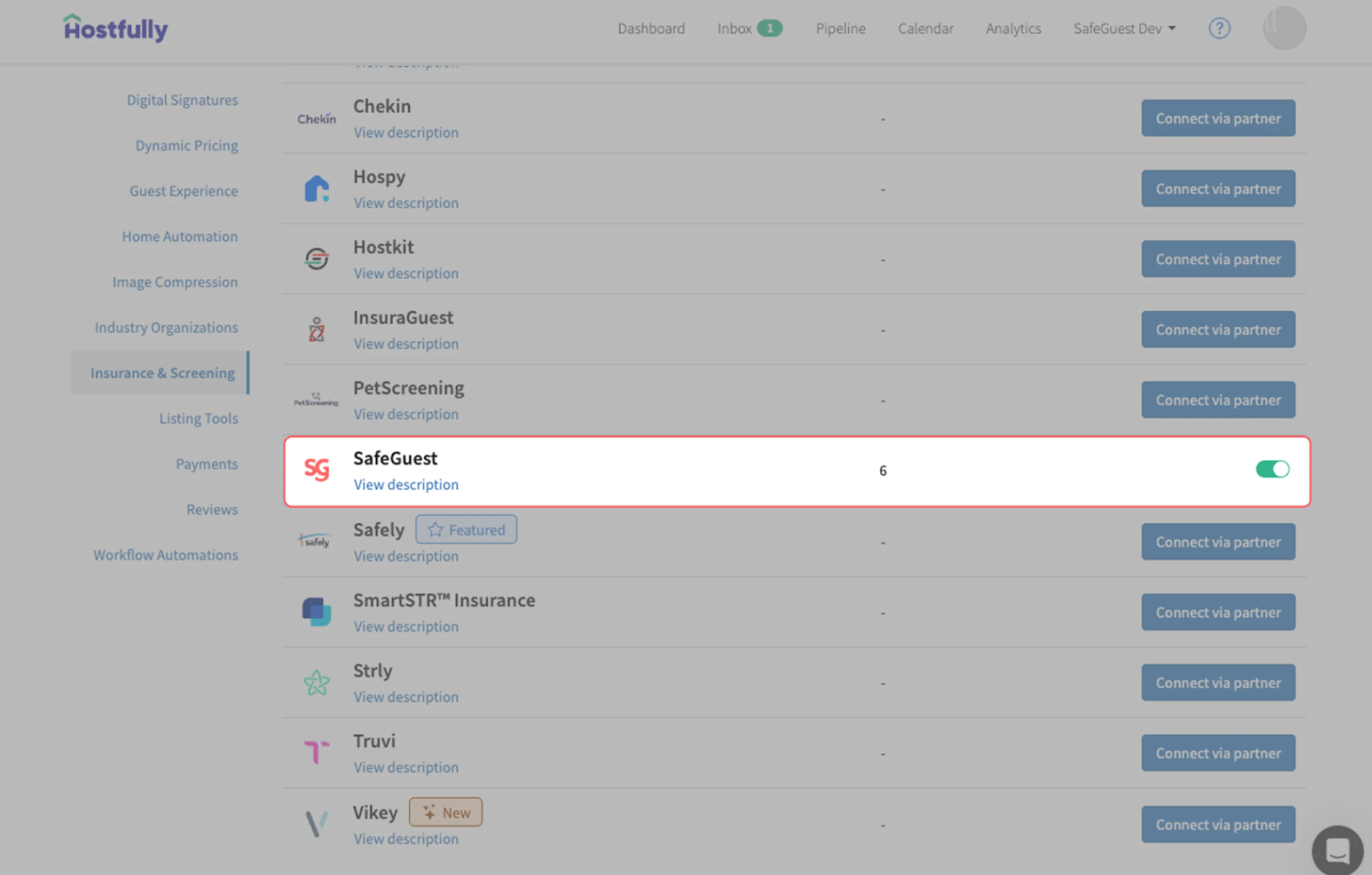
Click Insurance & Screening, then select SafeGuest from the list of partners.
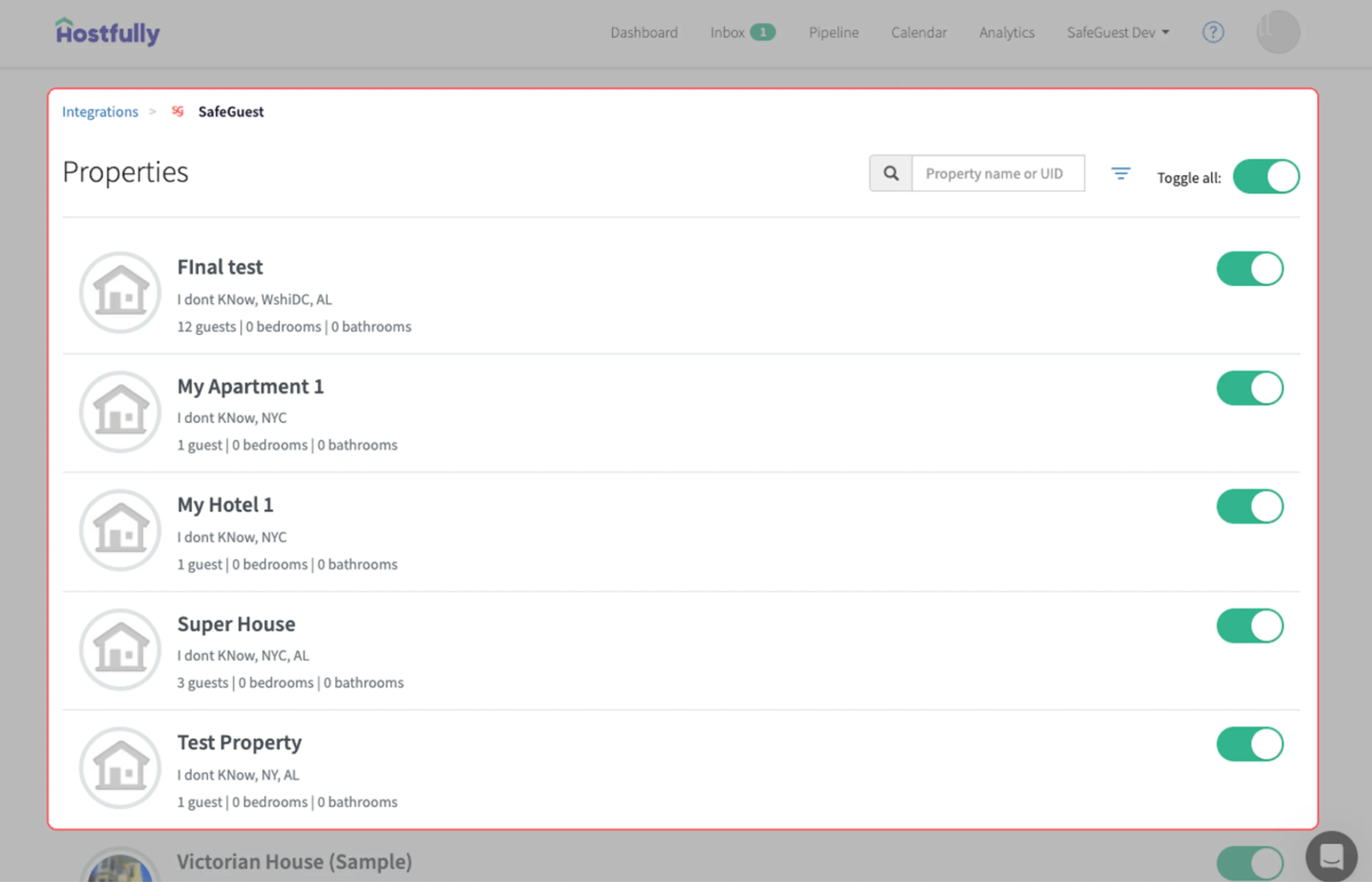
Choose which listings to connect to SafeGuest by enabling all properties or selecting individual listings.
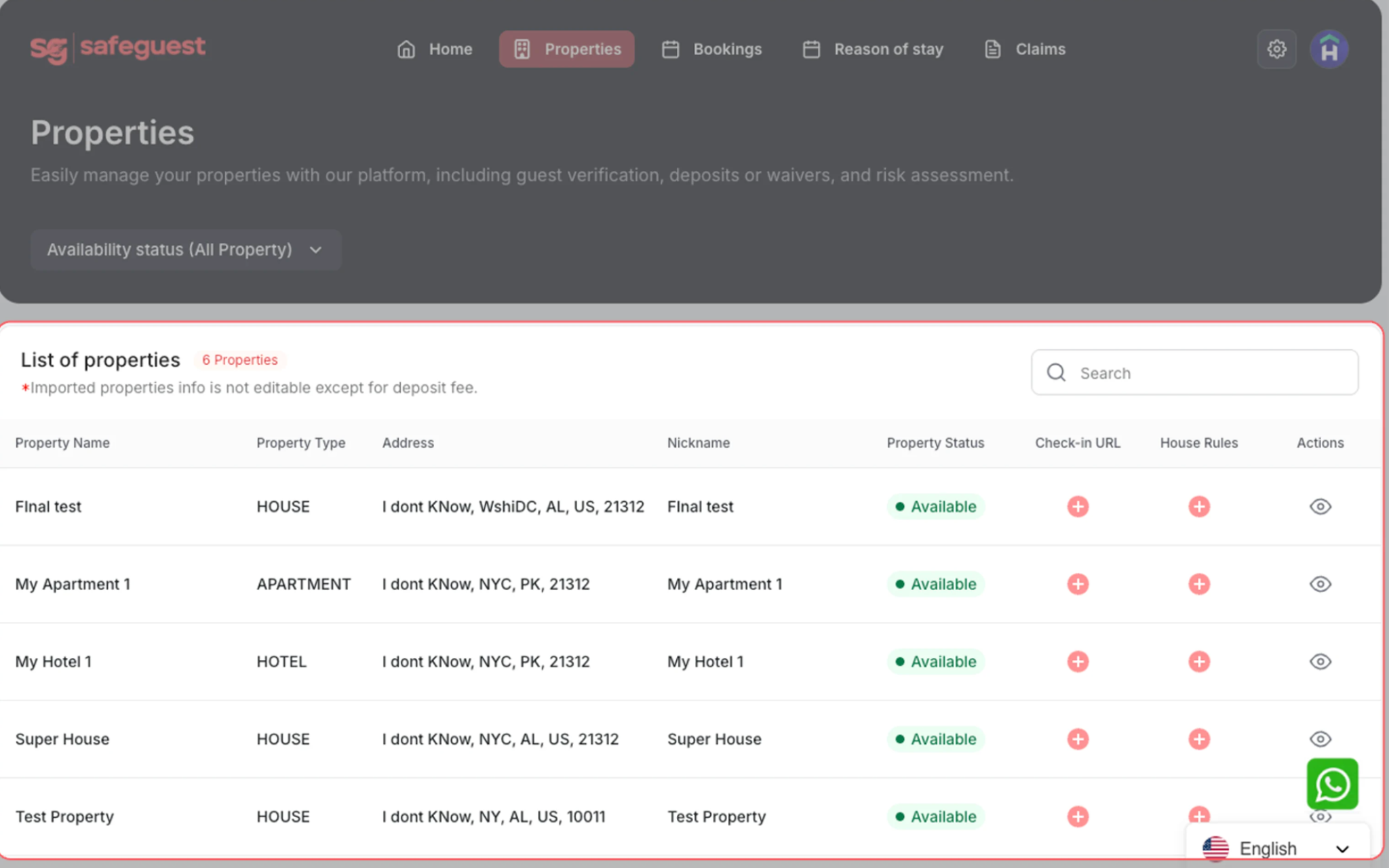
Step 10: Verify Your Properties in SafeGuest
Return to your SafeGuest dashboard.
Open the Properties page.
Verify your listings have synced (typically in under 1 minute).
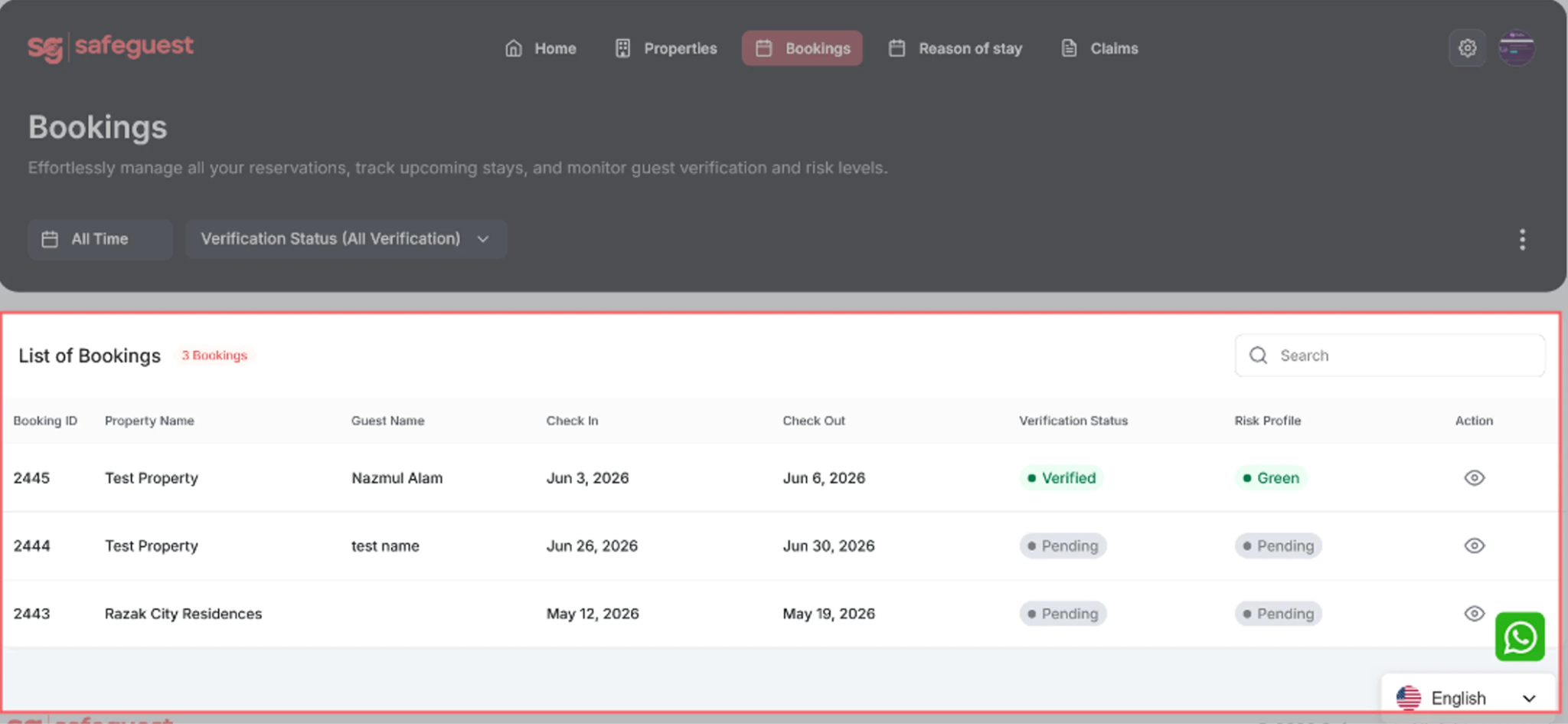
Step 11: Verify Your Bookings
Open the Bookings page.
Select an upcoming booking.
Click the Eye icon to view the booking details.
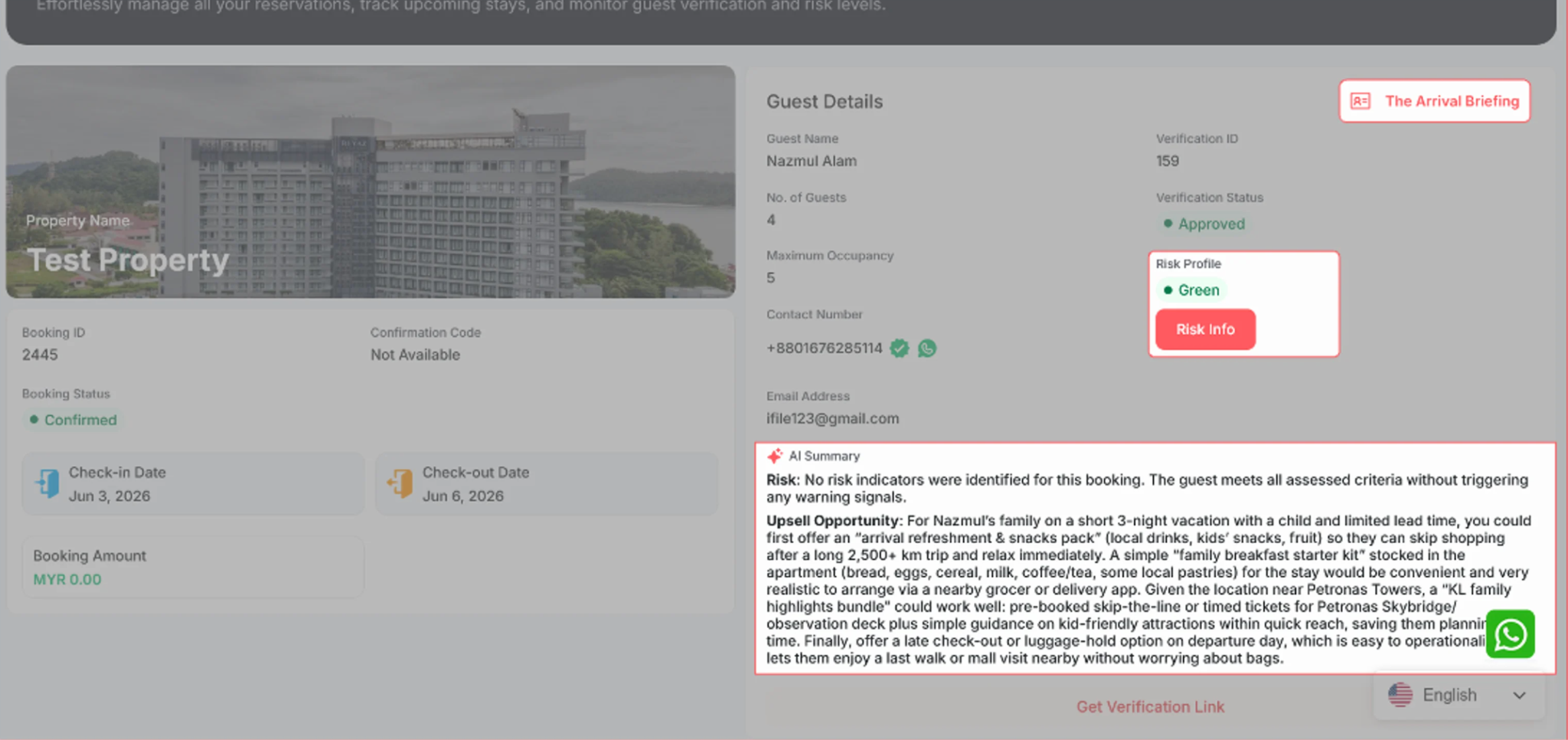
Wait for the guest to complete verification.
Open the booking details.
Review the Arrival Briefing, Risk Score, and AI Summary.
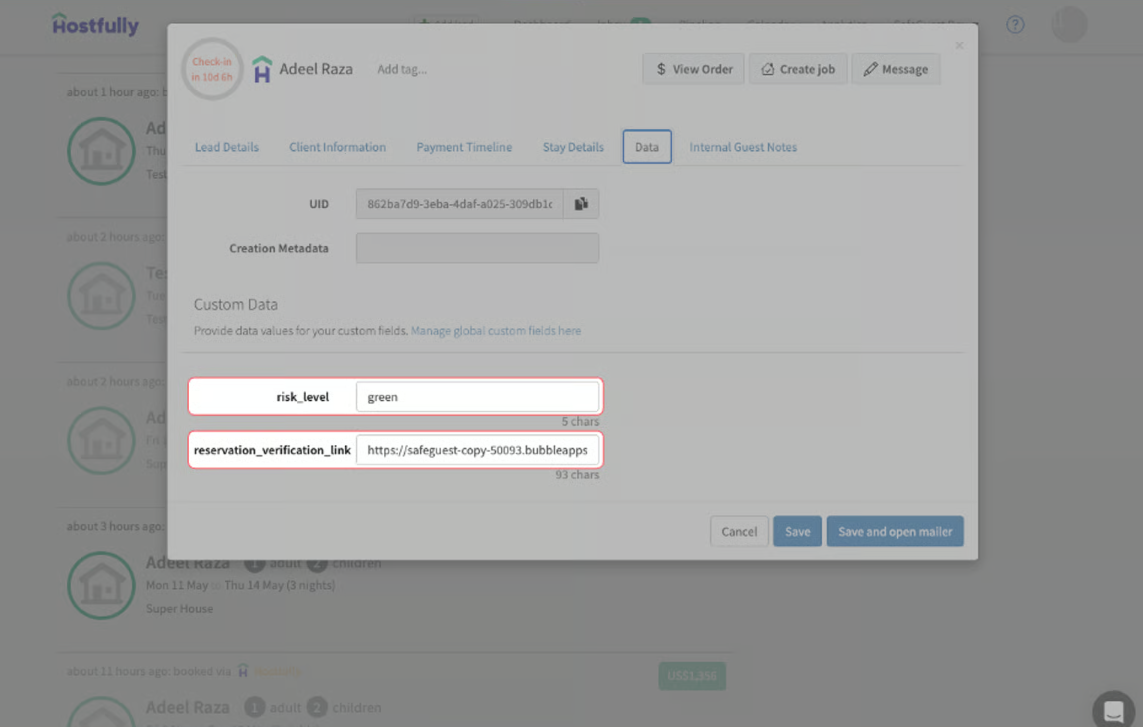
Step 12: View the Verification Link and Risk Score
Open the Dashboard.
Select a booking.
Open the Data tab.
Review the risk_level and reservation_verification_link fields.
Step 13: Guest Verification
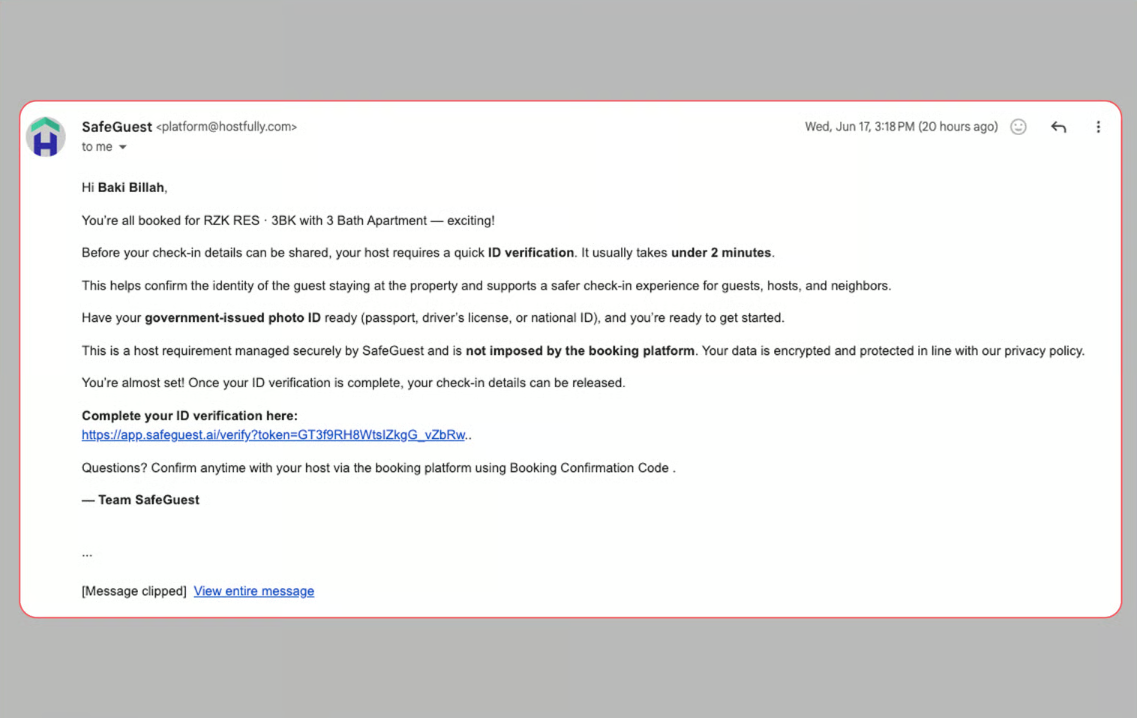
SafeGuest automatically emails the guest a verification link after booking.
The guest must complete verification before results are available.
The email will look similar to the example shown below.
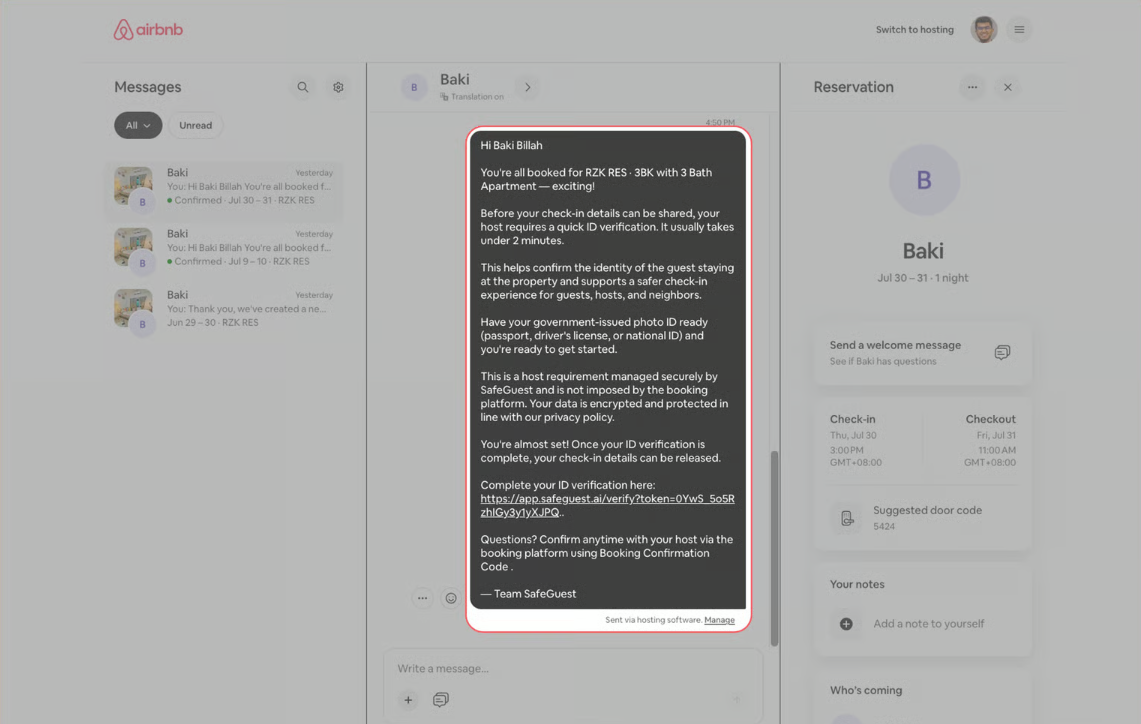
SafeGuest automatically sends a verification link through the OTA messaging inbox.
The guest must complete verification before results are available.
The message will look similar to the example shown below.
Congrats! Your Setup is now completed!
Get Started Today, Along with Hostfully, SafeGuest integrates with leading property management systems to help vacation rental managers automate guest verification, reduce risk, and protect every reservation. We're continuously expanding our partner network and building new ways to make hosting safer and more seamless.
Smarter Vacation Rental Protection with Hostfully and SafeGuest
Hostfully is a leading vacation rental property management platform built to help property managers streamline operations, automate workflows, and deliver exceptional guest experiences. By partnering with SafeGuest, hosts can now add intelligent guest screening, ID verification, automated security deposits, and damage protection directly into their booking process, creating a safer, more seamless experience from reservation to checkout.
About Hostfully
Since 2015, Hostfully has empowered vacation rental managers with an all-in-one property management platform designed to simplify operations and support business growth. Trusted by property managers around the world, Hostfully combines powerful automation, channel management, digital guidebooks, and more than 150+ integrations to help operators save time while delivering outstanding guest experiences.
Through the Hostfully and SafeGuest integration, property managers can seamlessly automate guest verification, assess reservation risk leveraging AI, collect security deposits or damage waivers, and access industry-leading damage protection, all without adding extra manual work. The integration helps hosts reduce fraud, minimize costly incidents, and confidently welcome every guest while continuing to manage reservations from within Hostfully.
Together, Hostfully and SafeGuest give vacation rental managers the tools they need to operate more efficiently, protect their properties, and create a safer experience for every booking without costing them a dime.
Connect Your Hostfully Account to SafeGuest
Step 1: Sign into Your Hostfully Account
Login into your Hostfully account
Step 2: Access Your Account Menu
Locate your account name, which is next to your profile picture on the top-right corner
Click on your account name to view the account options
Click on Integrations from the dropdown menu to access the settings page
Step 3: Connect SafeGuest via Hostfully Integrations
On the Integrations page, click on Insurance & Screening
Locate SafeGuest under available integrations
Click Connect via Partner to begin the connection process
Sign into SafeGuest: you will be redirected to the SafeGuest login page
Step 4: Create your SafeGuest Account
Enter your details
Accept the terms and conditions
Click the Create an account button
Step 5: Verify Your Email Address
Open the verification email, click Confirm Email, then select Continue on the confirmation page
Step 6: Select Hostfully During Onboarding
On the SafeGuest onboarding screen, select Hostfully from the list of integrations, then click Continue.
Step 7: Log In and Authorize Hostfully
Log in to your Hostfully account (if prompted), review the requested permissions, then click Allow to connect your account.
Step 8: Complete the Setup Banner Steps
Go to your SafeGuest Settings Page
Navigate to: Profile Details page
Update the profile details:
In the High Risk Bookings page, add the email address(es) that will receive notifications for high-risk (red) bookings.
Select your currency, enter your default security deposit amount, then click Save. Your damage waiver amount will be calculated automatically.
White-label: Upload your company logo and customize your brand colors.
Step 9: Activate SafeGuest in Hostfully Settings
In your Hostfully dashboard, click your Agency Name (top right), then select Integrations.
Click Insurance & Screening, then select SafeGuest from the list of partners.
Choose which listings to connect to SafeGuest by enabling all properties or selecting individual listings.
Step 10: Verify Your Properties in SafeGuest
Return to your SafeGuest dashboard.
Open the Properties page.
Verify your listings have synced (typically in under 1 minute).
Step 11: Verify Your Bookings
Open the Bookings page.
Select an upcoming booking.
Click the Eye icon to view the booking details.
Wait for the guest to complete verification.
Open the booking details.
Review the Arrival Briefing, Risk Score, and AI Summary.
Step 12: View the Verification Link and Risk Score
Open the Dashboard.
Select a booking.
Open the Data tab.
Review the risk_level and reservation_verification_link fields.
Step 13: Guest Verification
SafeGuest automatically emails the guest a verification link after booking.
The guest must complete verification before results are available.
The email will look similar to the example shown below.
SafeGuest automatically sends a verification link through the OTA messaging inbox.
The guest must complete verification before results are available.
The message will look similar to the example shown below.
Congrats! Your Setup is now completed!
Get Started Today, Along with Hostfully, SafeGuest integrates with leading property management systems to help vacation rental managers automate guest verification, reduce risk, and protect every reservation. We're continuously expanding our partner network and building new ways to make hosting safer and more seamless.
Know before they knock.
Safeguest Prevent verifies every guest before arrival. Free for hosts.
Keep reading